ShotGlass
A macOS app that turns a screen recording into a polished, Apple-style product demo automatically — smart zoom, cursor smoothing and a 3D device frame included, no editing software required.
🔗 Visit ShotGlass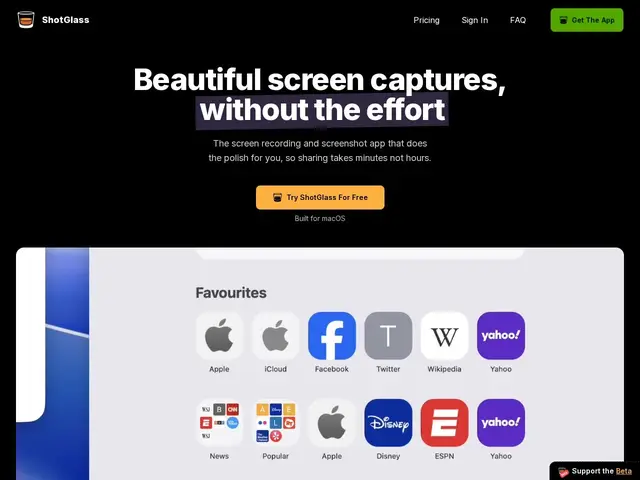
Description
Making a demo video look professional usually means juggling a screen recorder, a separate app for zoom/cursor effects, and something like After Effects for the polish — a stack most solo developers and small teams don't have the time or budget to learn. ShotGlass collapses all of that into one click: record your screen, and it automatically zooms into what you're doing, smooths the cursor motion, and can drop the recording into a 3D MacBook frame for an Apple-commercial look, without touching a timeline editor.
Built by independent developer Jake Manger, ShotGlass detects the active window and applies zoom/background/frame effects automatically rather than requiring manual keyframing, and also handles static screenshots with the same polish. It's macOS-only, launched in May 2026 (reporting 70 paying users in its first 3 days and 200+ by June), and is priced as a $29 one-time personal license or $39/year for team use on up to 3 Macs, with a free trial available and no subscription lock-in for the personal tier.
💬 Our review
The short version: ShotGlass is a genuinely well-scoped tool — it replaces a 3-4 app workflow (screen recorder, cursor/zoom editor, After Effects) with one click, and the fully-automatic approach (no manual keyframing) is the actual differentiator versus most screen recorders that still expect you to animate zooms by hand.
Against Screen Studio, the closest comparable Mac tool, ShotGlass's one-time $29 price beats Screen Studio's subscription model outright if you only need it occasionally, though Screen Studio has a longer track record and a broader feature set for teams recording constantly. The tradeoffs: it's macOS-only (no Windows or Linux version), and being a solo-developer product means feature velocity and long-term support depend on one person rather than a funded team — worth weighing if you need guaranteed updates for years. For an indie developer or small startup making the occasional launch video or feature demo, the one-time price and zero learning curve make it an easy yes; a marketing team producing demo content weekly may still want Screen Studio's deeper editing toolkit.
💰 Pricing
📊 Global score
🤖 AI-enriched data
Licence perso : 29 $ (paiement unique). Équipe/plusieurs Mac : 39 $/an (jusqu'à 3 Mac). Essai gratuit disponible.
Pros
Effets de zoom, lissage du curseur et cadre 3D 100% automatiques
Prix unique (29 $) plutôt qu'un abonnement
Remplace 3-4 outils (enregistreur, éditeur de curseur, After Effects)
Gère aussi bien les captures statiques que la vidéo
Cons
macOS uniquement, pas de version Windows/Linux
Développeur solo — pérennité incertaine
Moins de profondeur d'édition que Screen Studio pour un usage intensif
Encore jeune (lancé mai 2026), peu de recul