Everything Claude Code
A free, ready-made pack of settings, shortcuts and helper agents for Claude Code that saves you from configuring your AI coding setup from a blank slate.
🔗 Visit Everything Claude Code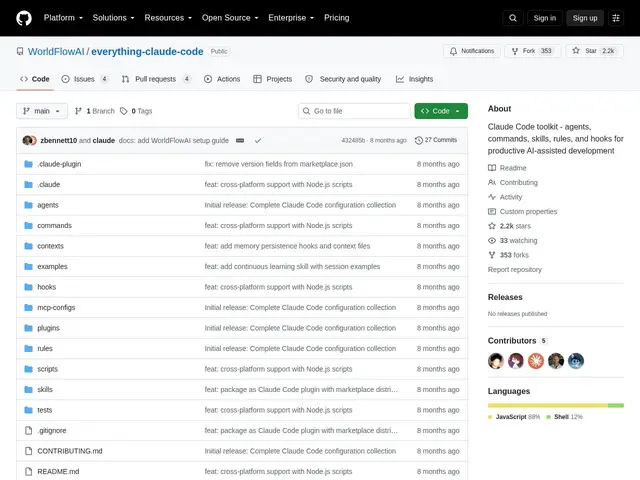
Description
Getting real productivity out of an AI coding tool like Claude Code usually takes weeks of trial and error — figuring out which custom commands save time, which automations are safe to trust, and how to keep the AI from burning through your context window on repetitive explanations. Everything Claude Code packages that hard-won configuration into an install-and-go toolkit, built by an Anthropic hackathon winner and refined through real application-building rather than assembled as a generic template.
It bundles specialized subagents for planning, architecture review, code review, security analysis, build-fixing, testing, refactoring and documentation, plus slash commands for common workflows (`/tdd`, `/plan`, `/code-review`, `/e2e`, `/build-fix`), hooks that trigger automations on tool events and session lifecycle changes, and MCP integrations with services like GitHub, Supabase, Vercel and Railway. It also includes token-optimization techniques and context-window management practices, along with memory persistence across sessions, and supports automatic package-manager detection across platforms. It's MIT-licensed, free, and installable via the Claude Code plugin marketplace or manual setup.
💬 Our review
The short version: if you're using Claude Code and don't want to spend weeks discovering which custom commands, hooks and subagents actually help, this toolkit gives you a proven configuration for free.
Against rolling your own Claude Code setup from scratch, the value here is time saved and battle-testing — these aren't hypothetical best practices, they're commands and agents refined through the author building real applications, which matters because a lot of published AI-agent configs are theoretical rather than field-tested. Against other individual Claude Code plugins or skills you might install piecemeal, the advantage is coherence: subagents, commands and hooks here are designed to work together rather than being independently sourced and potentially conflicting. The tradeoff is that any bundled toolkit imposes someone else's opinions about workflow — if your team already has strong conventions, you'll want to cherry-pick pieces rather than adopt the whole bundle. Free and MIT-licensed, so there's no real cost to trying it; worth installing for anyone setting up Claude Code for serious project work rather than occasional one-off tasks.
💰 Pricing
📊 Global score
🤖 AI-enriched data
Gratuit, licence MIT, installable via le marketplace de plugins Claude Code
Pros
Configuration éprouvée sur de vraies applications, pas un template théorique
Sous-agents, commandes et hooks conçus pour fonctionner ensemble de façon cohérente
Gratuit et open-source (MIT), installation en une commande
Intégrations MCP prêtes à l'emploi (GitHub, Supabase, Vercel, Railway)
Cons
Impose des choix de workflow qui peuvent entrer en conflit avec des conventions d'équipe déjà établies
Spécifique à Claude Code, inutilisable avec d'autres agents de code
Nécessite de trier/adapter si on ne veut pas tout le bundle