PNG Binder
Browser-based tool that combines up to 50 PNG or JPG images into a single PDF document with local processing. No server uploads required, all conversion happens in your browser.
🔗 Visit PNG Binder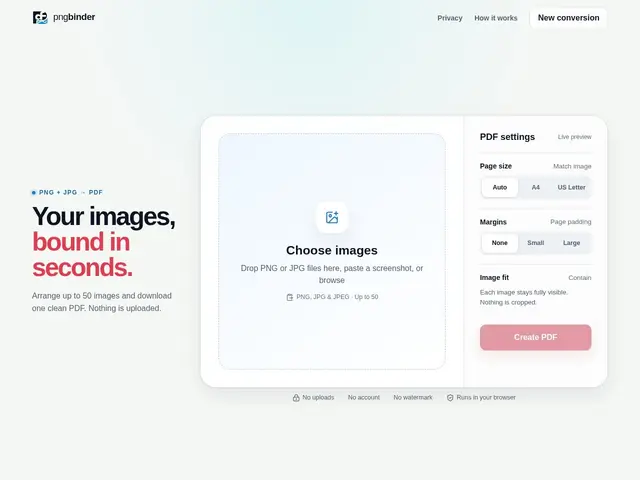
Description
Sometimes you just need to turn a handful of photos or screenshots into one PDF to send someone — without installing software or uploading your images to a stranger's server. PNG Binder does exactly that one thing, entirely inside your browser: pick your images, and it stitches them into a PDF on your own device.
PNG Binder is a free, browser-based tool that combines up to 50 PNG or JPG images into a single PDF document. All processing happens locally in the browser with no server uploads, and it lets you customize the page order before generating the final file.
💬 Our review
The short version: PNG Binder does one small job well — combining images into a PDF locally, with nothing uploaded anywhere — and it's completely free.
Against Smallpdf, iLovePDF, or CloudConvert, which upload your files to a server to process them (and often gate features behind a paywall), PNG Binder's differentiator is that everything happens client-side in your browser, so your images never leave your device — a real privacy advantage for sensitive screenshots or documents. The tradeoff is that it's deliberately a single-function tool: no batch processing beyond the 50-image cap, no advanced customization, no API, and no desktop app, so if you need OCR, compression presets, or bulk automation, you'll still need a fuller PDF suite. For quickly and privately combining a handful of images into a PDF, PNG Binder is a genuinely better default than uploading to a third-party server; for anything beyond that single task, Smallpdf or iLovePDF's broader feature sets are worth the tradeoff of server-side processing.
💰 Pricing
📊 Global score
🤖 AI-enriched data
Entièrement gratuit, aucune limite au-delà de 50 images par conversion.
Pros
Traitement local dans le navigateur garantissant une confidentialité totale
Interface simple et intuitive
Entièrement gratuit, sans coût caché
Traitement rapide, sans délai réseau
Prend en charge les formats PNG et JPG
Cons
Limité à 50 images par conversion
Outil mono-fonction, uniquement conversion image vers PDF
Aucun traitement par lots ni personnalisation avancée
Dépendant du navigateur, limites de performance possibles sur systèmes anciens
Aucune application de bureau ni API disponible