Kiantu
A tool that quietly watches how a dev team's time actually gets spent — real focused work versus constant interruptions — and turns it into a plain-English weekly summary, instead of asking anyone to fill out a timesheet.
🔗 Visit Kiantu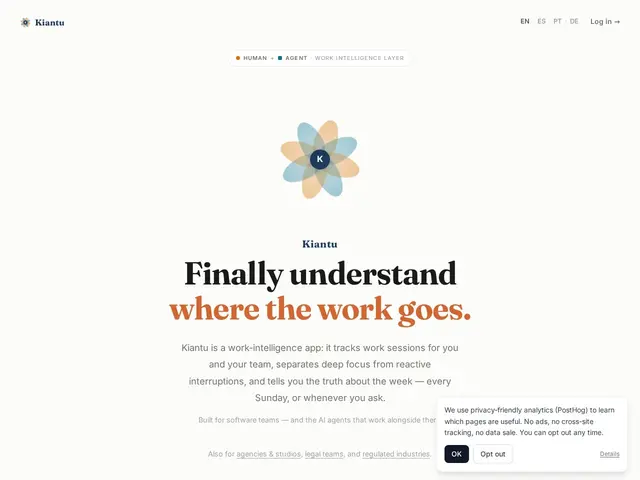
Description
Traditional time tracking asks people to remember to start and stop a timer, which most developers either forget or resent. Kiantu skips that entirely: it watches activity across the tools a dev team already uses — GitHub, calendars, Jira, Slack — and automatically figures out which stretches were focused, uninterrupted work versus reactive context-switching, then writes it up as a readable weekly narrative instead of a spreadsheet of hours.
Kiantu is a work-intelligence platform for developers and teams that automatically tracks work sessions by integrating with GitHub, Jira, Slack, Microsoft Teams, Discord, Google Calendar, Outlook, WhatsApp and a CLI — no manual timers. It distinguishes intentional focus time from reactive interruptions, generates automatic weekly narrative reports with recommendations, and provides team-level analytics by person, project and goal. Notably, it treats AI agents as first-class actors alongside humans: agent sessions can be tracked and attributed via a REST API and MCP integration, including cost tracking for AI usage. Pricing is free for teams up to 10 people, $12/person/month for Large Teams (up to 100 people, 1-year session history), and $29/person/month for the Intelligence tier (up to 1,000 people, 2-year history), with a 20% discount for annual billing and no credit card required to start.
💬 Our review
The short version: if your dev team has resisted every timesheet tool you've tried because nobody wants to manually track time, Kiantu's automatic, integration-based approach — plus its unusual support for tracking AI agent work sessions and cost — is worth a look since the free tier covers small teams entirely.
Automatic, integration-based time intelligence tools (Rize, RescueTime, WakaTime) aren't new, but most are built purely for humans; Kiantu's differentiator is treating AI coding agents as first-class tracked entities alongside people, which is a genuinely forward-looking feature as more teams mix human and agent work in the same sprint. The free tier for up to 10 people removes real adoption friction for small teams, and the narrative-report format (rather than raw hour totals) is a smart choice for getting developers to actually read their own usage summaries instead of ignoring a dashboard. The honest limitation is privacy sensitivity — automatic activity tracking across GitHub, calendar and chat tools is inherently more invasive than a manual timer, even with the "mark as Busy to hide details" privacy control, so it's worth discussing monitoring expectations openly with a team before rolling it out rather than deploying it silently.
💰 Pricing
📊 Global score
🤖 AI-enriched data
Gratuit jusqu'à 10 personnes. Large Teams 12$/personne/mois (jusqu'à 100). Intelligence 29$/personne/mois (jusqu'à 1000). -20% en facturation annuelle.
Pros
Suivi automatique sans minuteur manuel
Distingue le travail concentré des interruptions réactives
Traite les agents IA comme des acteurs suivis à part entière (coût inclus)
Gratuit jusqu'à 10 personnes
Cons
Suivi automatique plus intrusif qu'un minuteur manuel classique
Nécessite une discussion transparente en équipe sur la surveillance
Historique de sessions limité à 30 jours en version gratuite