Vectorify
A pay-as-you-go tool that converts PNG/JPG/WEBP images into clean, editable SVG vector files in seconds, no manual tracing needed.
🔗 Visit Vectorify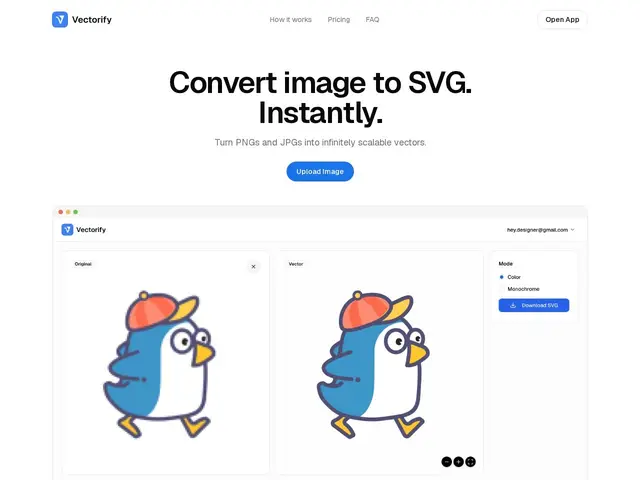
Description
Vectorify solves a problem every designer runs into eventually: you have a logo, icon, or illustration as a flat image (a PNG or JPG), and you need it as a vector — the kind of file that stays crisp no matter how big you blow it up, and that you can edit shape by shape in a tool like Illustrator or Figma. Normally that means manually tracing the image by hand, which is slow and fiddly. Vectorify automates that step: upload a raster image and it hands back a production-ready SVG in a few seconds, no tracing skills required.
Technically, the tool accepts PNG, JPG, GIF, BMP, and WEBP as input and outputs SVG files editable in Figma, Adobe Illustrator, and CorelDRAW, with transparency preserved from the source PNG. There's no subscription: pricing is pay-as-you-go credits ($3 for 5 downloads, up to $9 for 50), and you can preview the vectorized result before spending a credit on the download. It's aimed squarely at designers, illustrators, and freelancers who need occasional one-off conversions rather than a bulk production pipeline.
💬 Our review
The short version: Vectorify is a solid pick if you occasionally need a clean image-to-SVG conversion and don't want to learn manual tracing — the pay-per-use credits make sense for infrequent use, but heavy users will find a flat-rate competitor cheaper over time.
Against a general vectorization tool like Vectorizer.AI or the built-in Image Trace in Adobe Illustrator, Vectorify's edge is simplicity: no software to install, a free preview before you pay, and output that opens cleanly in the major design tools. The credit-based pricing ($3 for 5 downloads) is fine for a handful of logos a month but adds up fast for agencies converting dozens of assets — Illustrator's Image Trace is already included if you're paying for Creative Cloud anyway, and dedicated bulk-vectorization services often undercut Vectorify per-image at volume. Pick Vectorify for quick, no-install, no-learning-curve conversions; look elsewhere if you're vectorizing at scale.
💰 Pricing
📊 Global score
🤖 AI-enriched data
Pay-as-you-go credits: $3 for 5 downloads, $6 for 25, $9 for 50. No subscription.
Pros
Instant conversion, no manual tracing or software install
Free preview before spending a credit
Output editable in Figma, Illustrator, and CorelDRAW
Transparency preserved on PNG input
No subscription — pay only for what you use
Cons
Per-credit pricing gets expensive at high volume
No free tier — every download costs a credit
Limited to single-image conversion, no batch/bulk workflow evident
Less control than dedicated vector-editing software for complex artwork