Qwiksi
A free, open-source command-line tool that stamps a text-generated or image signature onto PDF documents, either into detected form fields or at manually chosen coordinates.
🔗 Visit Qwiksi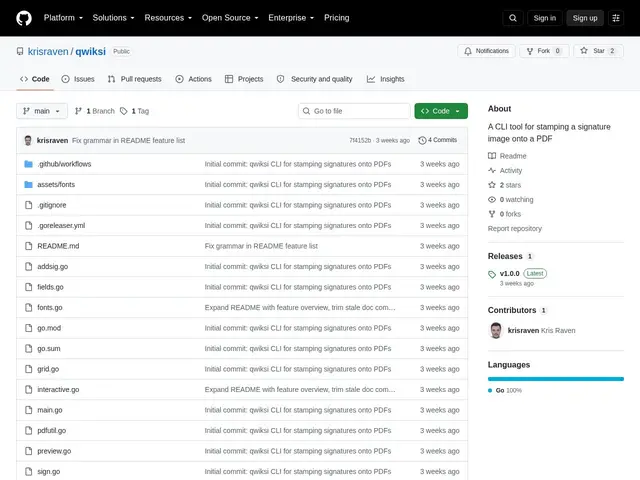
Description
Signing a PDF usually means opening it in a reader, clicking around for a signature tool, or uploading it to a paid e-signature website just to place your name on a form. Qwiksi skips all of that: it's a small command-line program that takes a signature — either typed as text and turned into a cursive-style image, or your own image file — and stamps it directly onto a PDF, from a terminal or a script, in a few seconds.
Under the hood, Qwiksi is a Go program built on the pdfcpu PDF library and distributed as a single static binary (prebuilt for macOS, Linux and Windows) with no runtime dependencies to install. It can generate a signature PNG from typed text using bundled cursive fonts (Sacramento and Great Vibes), automatically detect fillable AcroForm signature fields in a PDF and list them by name, or — for flat/scanned PDFs with no real form fields — let you preview a coordinate grid overlay and manually specify where the signature image should land. The core commands are addsig (generate a signature image), fields (list detected form fields), preview (show the coordinate grid), and sign (stamp the signature in). It's aimed squarely at developers and technical users who want PDF signing they can automate or script, not a polished consumer e-signature product.
💬 Our review
The short version: Qwiksi is a solid, no-frills free tool for developers who need to script or automate PDF signing and don't want to touch a GUI or a paid e-signature service for something this simple.
Against hosted e-signature platforms like DocuSign or HelloSign, Qwiksi isn't really a competitor — it has no audit trail, no multi-party signing workflow, no legal-compliance certifications, and no web interface, so it's not a fit for contracts that need verifiable e-signature compliance. What it does well is the narrow job it targets: stamping a signature image onto a PDF from the command line, either into a real form field it auto-detects or at manual coordinates via its grid-preview system, all packaged as a single dependency-free binary. Compared to scripting your own PDF manipulation directly with a library like pdfcpu, Qwiksi saves you the boilerplate for this one specific task. It's genuinely free with no catch, but it's also a very young, low-star project (a handful of commits), so treat it as a handy utility rather than something to build critical document workflows around without your own testing.
💰 Pricing
📊 Global score
🤖 AI-enriched data
Free and open source. Distributed as a single static binary with no license fee or subscription.
Pros
Completely free, open source, single dependency-free binary
Automatic detection of AcroForm signature fields
Grid-preview system for manual placement on scanned/flat PDFs
Cross-platform prebuilt binaries (macOS, Linux, Windows)
Cons
No audit trail or legal e-signature compliance - not a DocuSign replacement
Command-line only, no GUI or web interface
Very small project (few commits/stars) at time of review
No multi-party or workflow-based signing