Termy
Desktop app for one-keystroke, context-aware word lookups while gaming, watching videos, or browsing, then turns them into FSRS spaced-repetition flashcards, with Anki export. Supports 30 languages.
🔗 Visit Termy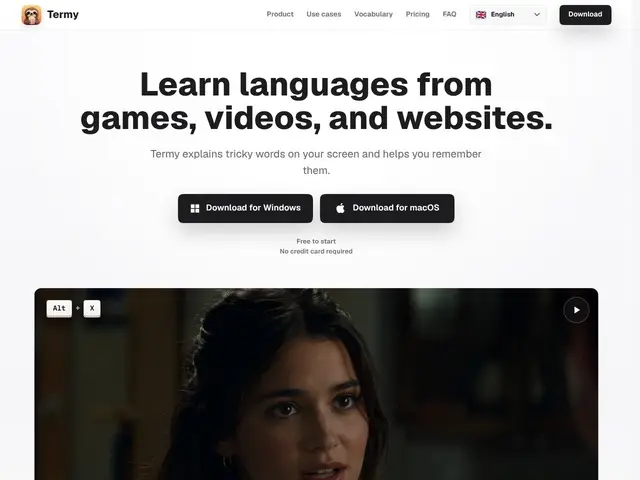
Description
Imagine you're playing a game in Japanese, watching a French video, or reading a German website, and you hit a word you don't know. Normally you'd have to stop what you're doing, open a dictionary app or a browser tab, type or copy the word, and lose your place. Termy is like a pop-up dictionary built into your entire screen, not just your browser: press a single key while looking at any word, in any app, and it shows you an explanation on the spot, then quietly saves that word so you can review it later, like a nightly recap of everything new you bumped into that day.
Termy is a desktop application (Windows and macOS) that captures unfamiliar words and phrases encountered in games, videos, websites, and other desktop apps, and returns context-aware explanations and translations without requiring the user to switch windows. It supports 30 languages, stores lookups locally, and turns them into review material using FSRS (Free Spaced Repetition Scheduler), the same evidence-based scheduling algorithm behind modern flashcard tools. Multiple exercise types vary the review sessions, and an Anki export lets users move their vocabulary into a dedicated flashcard app if they want to combine systems.
💬 Our review
The short version: Termy solves a real, narrow problem well — looking up a word without leaving the game, video, or app you're in — but it's a companion tool, not a full language-learning system, and the free tier's 20-lookup cap will feel tight for anyone doing serious immersion.
Compared to the established players, Termy occupies a specific slot. LanguageReactor and Migaku do deep language-learning inside the browser, mostly for streaming subtitles, and Readlang targets web-page reading specifically — Termy's pitch is broader coverage (any desktop app, game, or window) at the cost of the deep, subtitle-synced integration those tools offer for video. Anki alone is free and endlessly customizable but has zero built-in lookup — Termy plugs exactly the gap Anki leaves empty, then hands qualifying vocabulary to its own FSRS reviews or to Anki via export. At $5.99/mo or $59.99/yr (about $5/mo), it's priced in line with Migaku's subscription, but stacked against Anki (free forever) or Readlang's lighter tiers, it's a real recurring cost for what is fundamentally a lookup-and-flashcard tool. The 20-lookups-a-day free cap is the main friction point: casual users will rarely hit it, but anyone gaming or watching content for an hour in a foreign language will bump into the paywall within a session or two. Worth it if you spend real time in non-browser, foreign-language environments and want lookups without alt-tabbing; skippable if your learning happens mostly in a browser, where LanguageReactor or Readlang already cover the same ground for less or for free.
💰 Pricing
📊 Global score
🤖 AI-enriched data
Free: 20 lookups/day; $5.99/mo or $59.99/yr for unlimited lookups
Pros
Works system-wide across games, videos, and websites, not just the browser
One-keystroke lookup keeps the user in flow without alt-tabbing
FSRS spaced repetition is a scientifically grounded review method
Anki export lets users combine it with an established flashcard ecosystem
Covers 30 languages, useful beyond the most mainstream ones
Cons
Free tier's 20 lookups/day is limiting for immersive or heavy users
Desktop-only (Windows/macOS), no mobile or browser-only option
Recurring subscription cost versus free tools like Anki
No subtitle-synced sentence mining like LanguageReactor or Migaku offer for video