EasySwitch
A Rust-built KVM tool that shares one keyboard, mouse, and clipboard across up to 5 LAN-connected computers, and turns a spare machine into a second monitor. Free for 2 computers; $49 one-time unlocks 5, no subscription.
🔗 Visit EasySwitch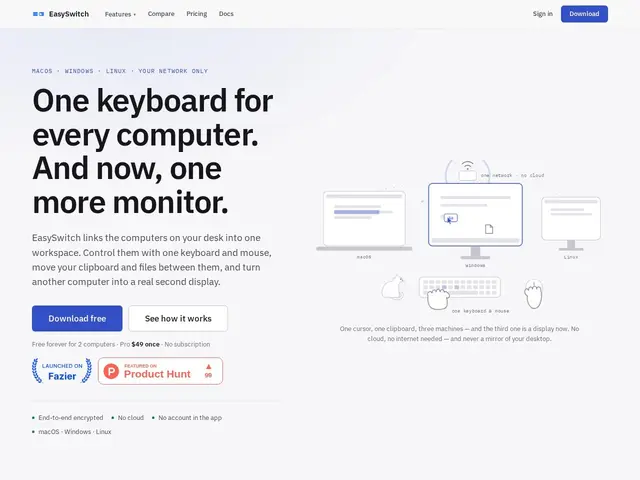
Description
Picture having two or three computers side by side on your desk — a work laptop, a personal machine, maybe a Linux box for testing — and constantly reaching for different keyboards, unplugging a mouse, or emailing yourself a file just to move it from one screen to another. EasySwitch turns that mess into a single setup: one keyboard and mouse control every computer on your desk, your clipboard (text, images, files) works across all of them, and you can even use a spare computer's screen as an extra monitor for your main machine — like a universal remote control for your whole desk.
Under the hood, EasySwitch is a Rust application that talks directly between machines over the local network — there's no cloud relay, no account to create, and every connection is end-to-end encrypted. It runs on macOS, Windows, and Linux in any combination, lets you jump between machines with keyboard shortcuts (Ctrl+Alt+1 through 5), supports drag-and-drop file transfer, and its 'second monitor' mode streams at native resolution and 60fps. It's built and sold by Realbrain Inc., a small indie/bootstrapped shop, with a free tier capped at two computers and a one-time $49 Pro license (no subscription) for up to five, plus free licenses for students and open-source maintainers.
💬 Our review
The short version: EasySwitch does a genuinely useful job of merging KVM switching, clipboard sharing, and a virtual second monitor into one polished, no-subscription app — but the core keyboard/mouse-sharing part of that bundle is available for free elsewhere, so the $49 price only pays for itself if you actually want the screen-extension feature too.
The KVM-switching space has several mature, free, open-source options: Synergy (the original, now subscription-gated for newer versions), and its actively maintained free forks Barrier, Input Leap, and Deskflow, plus Microsoft's Windows-only Mouse Without Borders. Any of these will share a keyboard, mouse, and clipboard across machines on a LAN at zero cost, so paying $49 for that alone is a hard sell. What EasySwitch actually adds is the virtual-second-monitor mode, which normally requires a separate paid app like Duet Display (subscription), spacedesk, or Luna Display — bundling both into one Rust binary with E2E encryption and no cloud account is a legitimate convenience play, and a one-time $49 (with a 14-day refund window) undercuts most of those subscription-based screen-extension tools over a year or two. The catches: it's closed-source from a small, unproven vendor, it's strictly LAN-only (no over-the-internet switching for remote setups), and the free tier tops out at two computers, so anyone with three or more machines who only wants basic KVM sharing should try Deskflow or Input Leap first before paying anything.
💰 Pricing
📊 Global score
🤖 AI-enriched data
Free: up to 2 computers; Pro: $49 one-time (no subscription) for up to 5 computers
Pros
Combines KVM sharing and a virtual second monitor in one app
One-time $49 payment, no subscription
End-to-end encrypted, LAN-only, no account or cloud dependency
Cross-platform: macOS, Windows, Linux in any combination
14-day money-back guarantee, free licenses for students/OSS maintainers
Cons
$49 for core KVM/clipboard features that free open-source tools already offer
LAN-only — no remote/over-internet switching
Closed-source, small indie vendor with no long track record
Free tier capped at just 2 computers