TabCmdr
A keyboard-first command palette (⌘K) for instantly searching and switching between browser tabs, bookmarks, and history — no account needed.
🔗 Visit TabCmdr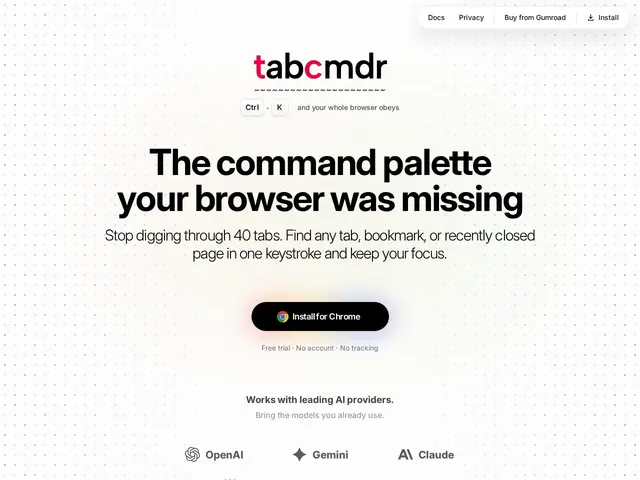
Description
Anyone who works in a browser with dozens of tabs open knows the feeling of digging through a messy desk drawer to find one specific paper. TabCmdr is like adding a well-organized search bar to that drawer: press a keyboard shortcut, type a few letters, and jump straight to the tab, bookmark, or webpage you were looking for, instead of clicking through a cluttered tab bar one by one.
TabCmdr is a browser extension that adds a keyboard-driven command palette (triggered with ⌘K) for searching and switching between open tabs, bookmarks, browsing history, and recently closed pages. Beyond navigation, it bundles a set of built-in utilities — a calculator, emoji picker, unit converter, weather lookup, to-do list, RSS reader, QR code generator, and color picker — plus direct access to AI chat assistants including ChatGPT, Claude, and Gemini, all from the same palette. It's built for keyboard-centric power users and works without requiring an account or tracking usage.
💬 Our review
The short version: TabCmdr is a solid pick if you live in tabs and want one keyboard shortcut to search and jump between them, though it's more a convenience layer than a category-defining tool.
Compared to Arc's built-in command bar, which only works if you've already switched your entire browser to Arc, TabCmdr bolts similar tab-search functionality onto whatever browser you already use — a real advantage for anyone unwilling to abandon Chrome or Firefox. Against Raycast, which is a full macOS launcher with a much broader plugin ecosystem but no in-browser tab awareness, TabCmdr is narrower in scope but more directly useful for the specific pain of losing tabs. Toby is the closest direct competitor for tab organization, but Toby leans on visual tab grouping rather than a command-palette search, and lacks TabCmdr's grab-bag of utilities (calculator, unit converter, AI chat shortcuts). Those bundled extras feel more like bonus stickers than must-have features — most people already have a calculator and a weather app a tap away — so the real value rests on the tab/bookmark/history search being fast and reliable. At the price of a one-time Gumroad purchase with no subscription, it's a fair deal for the core use case, even if the extra utilities are filler rather than a differentiator.
💰 Pricing
📊 Global score
🤖 AI-enriched data
Essai gratuit disponible ; déblocage via achat unique sur Gumroad, sans abonnement ni compte requis.
Pros
Palette de commandes clavier rapide
Pas de compte ni de tracking
Paiement unique sans abonnement
Utilitaires intégrés variés
Cons
Fonctionnalités bonus peu différenciantes
Pas de fonctions collaboratives
Limité à un seul navigateur/profil