Micasa
Free, open-source terminal app for tracking home maintenance history, projects, vendors, and spending, with Vim-style navigation.
🔗 Visit Micasa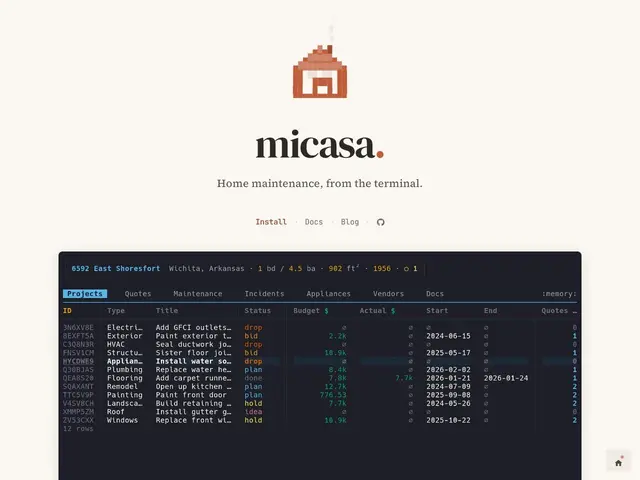
Description
Homeownership generates a surprising amount of paperwork and institutional knowledge that lives nowhere except your memory: which contractor fixed the water heater last time, when the furnace filter is due, what quote you got for the roof versus what you actually paid. Micasa is a free, open-source, terminal-based tool that gives that information an actual home, letting you log maintenance history, track projects from planning to completion, compare vendor quotes, and keep a searchable record of every contractor you've worked with.
It runs entirely in your terminal with Vim-style modal navigation, which makes it an odd fit for most homeowners but a very natural one for the developer-and-power-user crowd it's clearly built for — the project even cites VisiData's data-focused terminal philosophy as a direct inspiration. Beyond scheduling and history tracking, it includes spending analytics with optional local LLM integration, so you can ask questions about your maintenance spending without sending that data to a cloud service. It's cross-platform (Linux, macOS, Windows), distributed via Go's package manager or standalone binaries, and entirely free — there's no company behind it monetizing your data, just an open-source project on GitHub.
💬 Our review
The short version: Micasa is a niche but well-executed tool — genuinely useful if you already live in a terminal and want your home-maintenance records to live there too, but a non-starter for anyone who isn't already comfortable with Vim-style keybindings.
Most homeowners track this kind of thing in a notes app, a spreadsheet, or a dedicated consumer app like HomeZada or Centriq, all of which offer a graphical interface, mobile apps, and photo attachments — things Micasa doesn't have. What Micasa offers instead is privacy (everything stays local, with optional local-LLM analysis rather than a cloud AI subscription) and a workflow that fits naturally for anyone who already manages dotfiles and prefers keyboard-driven tools over GUIs. It's not competing on features with mainstream home-management apps; it's competing on philosophy. If you want photo galleries and a phone app to show a contractor, use a mainstream app. If you want your maintenance log to feel like the rest of your dev environment, Micasa is the only tool doing that.
💰 Pricing
📊 Global score
🤖 AI-enriched data
Open-source et gratuit, installation via le gestionnaire de paquets Go ou binaires précompilés (Linux/macOS/Windows).
Pros
Gratuit et open-source
Interface terminal légère avec navigation façon Vim
Intégration LLM locale pour l'analyse des dépenses
Multi-plateforme (Linux, macOS, Windows)
Cons
Interface terminal uniquement, peu accessible aux non-techniques
Domaine très spécialisé (entretien maison), audience restreinte
Petite communauté comparée aux apps grand public