USBHawk
USBHawk turns a USB drive into a cryptographic hardware key for passwordless Windows login, using local ECDSA P-256 authentication with no cloud dependency.
🔗 Visit USBHawk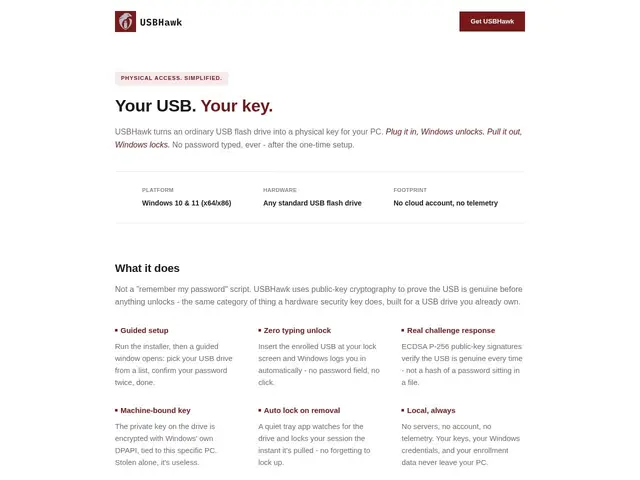
Description
Imagine turning an ordinary USB stick into a physical key for your computer, the same way a car key lets you start your car without typing a code. USBHawk does exactly that for Windows PCs: instead of typing a password every time you log in, you simply plug in a USB drive that has been set up as your personal digital key. Take it out, and the computer locks itself away from anyone who doesn't have that same key. It's a simple, tangible way to protect your PC that doesn't depend on remembering (or forgetting) complicated passwords.
Under the hood, USBHawk relies on ECDSA P-256 public-key cryptography: when you first set up a USB drive, the app generates a private/public key pair, storing the private key securely on the drive itself and registering the public key locally with your Windows account. Authentication happens entirely on your machine — there is no cloud service, account, or server involved, so your keys and login data never leave your PC. This local-only architecture means the tool works offline and keeps your authentication data outside of any third party's reach, at the cost of you being responsible for keeping the USB drive safe (and ideally maintaining a backup key).
💬 Our review
The short version: USBHawk is a cheap, no-frills way to replace Windows passwords with a physical USB key, using solid public-key cryptography (ECDSA P-256) that never touches the cloud — a great fit if you already have spare USB drives and want hardware-backed login without buying dedicated security hardware.
Compared to YubiKey, USBHawk is the budget option: YubiKey uses purpose-built secure hardware (FIDO2/U2F, smart card, OTP) that's tamper-resistant and works across a huge range of services (Google, Microsoft, GitHub, password managers, and more), not just local Windows login. That robustness and broad ecosystem support come at a higher price and require buying dedicated hardware, whereas USBHawk turns a regular USB drive you probably already own into a key — but it's scoped specifically to local Windows authentication rather than the wider web. Windows Hello, on the other hand, is free and built directly into Windows (fingerprint, face recognition, or PIN), which makes it more convenient day to day, but it's tied to a specific PC's built-in sensors and isn't portable: you can't carry a Windows Hello login in your pocket and use it on another machine the way you can with a USB key. On price/value, USBHawk's one-time $19.99 fee (covering up to 3 PCs, with an optional $9.99/year for continued updates) is hard to beat for anyone who wants physical-key authentication without YubiKey money or Windows Hello's hardware dependency — a solid niche pick, just don't expect the broad service support of a dedicated FIDO2 key.
💰 Pricing
📊 Global score
🤖 AI-enriched data
19,99 $ à vie (inclut 1 an de mises à jour), renouvellement optionnel à 9,99 $/an pour les mises à jour continues. Licence valable pour jusqu'à 3 ordinateurs personnels.
Pros
Achat unique abordable (19,99 $) sans abonnement obligatoire
Aucune dépendance au cloud, tout reste stocké localement sur l'appareil
Cryptographie à clé publique ECDSA P-256 robuste et éprouvée
Transforme une clé USB standard déjà possédée en clé matérielle
Cons
Limité à l'authentification Windows locale, contrairement à YubiKey compatible avec de nombreux services en ligne
Perte de la clé USB sans sauvegarde = risque de blocage total du PC
Nécessite de transporter une clé USB physique, moins pratique que la biométrie intégrée de Windows Hello