Kanbanq
A minimal kanban tool with a sprint board and a backlog board, real-time collaboration, and AI-generated task summaries for small teams.
🔗 Visit Kanbanq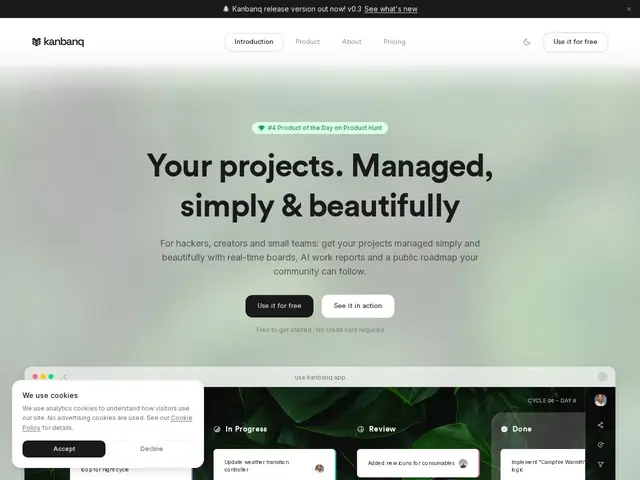
Description
Kanbanq is a kanban board pared down to what a five-person team actually uses: a sprint board and a backlog board, real-time updates when a teammate moves a card, and AI-generated summaries so nobody has to write a status update from scratch. It skips the roadmaps, goals, and whiteboards that bloat tools like ClickUp or Monday.com, on the theory that most small teams use maybe 10% of those feature sets anyway.
It's aimed squarely at freelancers, students, indie game studios, and small creative or software teams rather than enterprises, and the pricing reflects that: unlimited users and spaces are free up to 250 active tasks, and the Pro tier (€4.50/user/month) removes that cap and adds unlimited AI summaries, with one free seat granted per four paid users.
💬 Our review
The short version: if Trello feels too bare and ClickUp feels like flying a 747 to cross the street, Kanbanq's two-board (sprint + backlog) simplicity with built-in AI summaries hits a real gap for small teams.
Against Trello, the direct comparison is close — both are minimal kanban tools — but Kanbanq's AI-generated summaries and real-time collaboration are a step up, while Trello's Power-Up ecosystem is far more mature if you eventually need integrations. Against heavier tools like ClickUp or Linear, Kanbanq is intentionally narrower: no custom fields, no goal tracking, no automation builder — just boards and cards done well. At €4.50/user/month for the Pro tier (with a free seat for every four paid), it's genuinely cheap for a small team, and the free tier's 250-task cap is generous enough that many solo users or tiny teams may never need to pay at all. <!-- ai-generated -->
💰 Pricing
📊 Global score
🤖 AI-enriched data
Gratuit (illimité users/espaces, 250 tâches) ; Pro 4,50€/utilisateur/mois (illimité + IA illimitée)
Pros
Palier gratuit généreux (250 tâches)
Résumés IA automatiques
Prix Pro très bas
Cons
Seulement 2 types de tableaux
Pas de builder d'automatisation