Blimp
A single app that tries to replace the pile of separate tools a small team usually juggles — Slack for chat, a calendar app, an inbox, and a task board — by turning conversations directly into tasks and syncing everything against your schedule automatical
🔗 Visit Blimp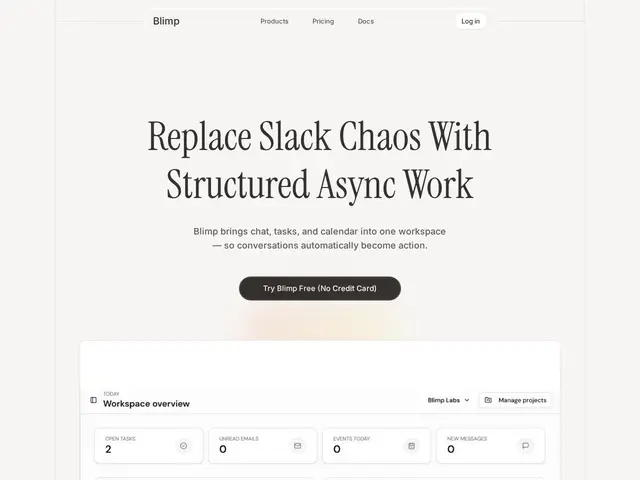
Description
Small teams often end up with a message in Slack, a task in Notion, a meeting on Google Calendar, and an email nobody read — four tools, four places to check, and things fall through the cracks. Blimp's pitch is to collapse all of that into one workspace: team chat, an AI-aware calendar, an email client, and project management, built so that a decision made in chat can become a tracked task without you manually copying it anywhere.
The standout feature is "async-first structured chat" that automatically converts discussions into tasks, paired with a context-aware AI calendar that suggests meeting times and a workload view so you can see at a glance who's overloaded. It includes an AI email client with automatic prioritization, real-time project management with task assignments, a drag-and-drop workflow automation builder with a ChatGPT-style interface, Google Meet integration, full-text search across your documents and messages, and shared file storage. Pricing starts with a genuinely free Starter tier, moves to Professional at $8/month billed annually (or $10/month monthly) per user, and scales to a custom Teams plan for up to 50 users.
💬 Our review
The short version: the idea of collapsing chat, calendar, email, and task management into one AI-aware workspace is compelling on paper, but replacing four established, deeply-integrated tools with one newer product is a real switching-cost gamble — worth a pilot with a small team before moving everyone over.
Against Slack, Blimp's core bet is that async-first chat that auto-converts into tasks solves a problem Slack has never really fixed (messages that should be action items just scrolling away), and at $8-10/user/month it undercuts Slack's paid tiers ($7.25-15/user/month) while bundling in calendar and project management Slack doesn't offer at all. Against a Notion-plus-Slack-plus-Calendar stack, Blimp trades the deep customization and massive template ecosystem of Notion for tighter, more automatic integration between the pieces — you lose flexibility but gain not having to manually stitch tools together. The real risk with any all-in-one productivity suite is that it has to be excellent at four different things simultaneously (chat, calendar, email, PM) to beat four specialized tools each excellent at one; that's a hard bar to clear for a newer entrant, so the free Starter tier is worth using to genuinely test whether the AI task-conversion and calendar suggestions work well for your team's actual habits before paying for Professional. <!-- ai-generated -->
💰 Pricing
📊 Global score
🤖 AI-enriched data
Starter gratuit, Professional 8$/mois (facturé annuellement) ou 10$/mois (mensuel) par utilisateur, Teams sur devis (jusqu'à 50 utilisateurs)
Pros
Chat structuré qui convertit automatiquement les discussions en tâches
Calendrier IA avec suggestions de créneaux et vue de charge de travail
Combine chat + calendrier + email + gestion de projet en un seul outil
Tarif inférieur à Slack (8-10$ vs 7,25-15$/utilisateur/mois) avec plus de fonctionnalités incluses
Cons
Doit égaler quatre outils spécialisés à la fois (chat, calendrier, email, PM) — barre haute pour un nouvel entrant
Coût de changement réel pour une équipe déjà investie dans Slack/Notion/Google Calendar
Moins d'écosystème de templates/intégrations que Notion
Pas d'information sur l'ancienneté ou la stabilité de l'entreprise