ScreenSnap Pro
A screenshot and screen-recording app that adds polish — gradients, blur, annotations — automatically, so captures look professional without opening a separate editor.
🔗 Visit ScreenSnap Pro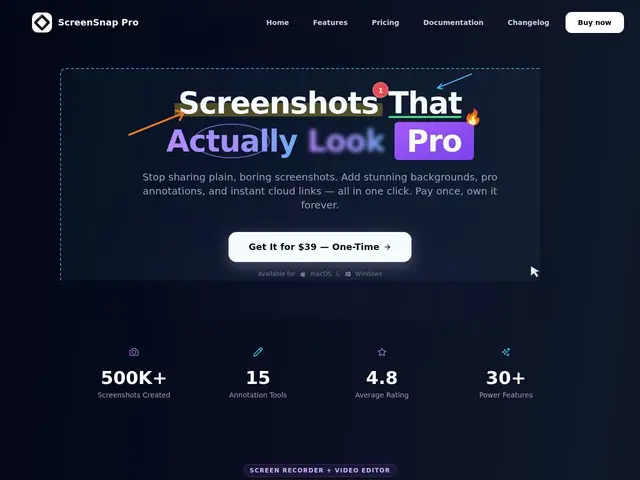
Description
The built-in screenshot tool on Mac or Windows gets the job done, but making a screenshot look presentable for a report, tutorial, or social post usually means dragging it into a separate editor. ScreenSnap Pro folds that step in: it captures the screen and immediately offers annotation, background gradients, and rounded corners, plus screen recording with webcam and audio, all in one app, for a single one-time payment instead of a subscription.
ScreenSnap Pro is a native Mac and Windows app for screenshots and screen recordings, with 15 annotation tools, 500+ gradient backgrounds, blur/pixelate for sensitive info, built-in OCR text extraction, and the ability to capture a full webpage from a URL. Captures can be exported as static images, GIFs, or videos, or shared instantly via cloud links. It's built and supported by an independent developer (Morgan), sold as a $39 one-time purchase covering 2 licenses (4 computers) with lifetime updates and a 30-day money-back guarantee, rather than the subscription model most competitors use.
💬 Our review
The short version: it's a solid one-time-purchase alternative to subscription tools like CleanShot X or Snagit, at a lower total cost if you keep using it for more than a year or two — the catch is it's going up against very established, polished competitors with much bigger teams behind them.
Against CleanShot X, probably the best-known premium screenshot tool, ScreenSnap Pro's edge is cross-platform support (CleanShot X is Mac-only) and a lower one-time price for 2 licenses. Against Snagit, the long-standing enterprise incumbent, ScreenSnap Pro is cheaper and lighter but lacks Snagit's decades of refinement and enterprise documentation features. Being built and maintained by a single independent developer is both a strength (fast iteration, direct support) and a real risk (no team redundancy, unclear long-term maintenance guarantee) compared to funded competitors. For a solo creator or small team that just wants solid annotation and recording without a monthly bill, it's good value; for enterprise documentation workflows or the most polished Mac-only experience, the established competitors still have the edge.
💰 Pricing
📊 Global score
🤖 AI-enriched data
39 $ (2 licences, 4 ordinateurs), mises à jour à vie, garantie satisfait ou remboursé 30 jours.
Pros
Paiement unique (39 $) au lieu d'un abonnement, mises à jour à vie
15 outils d'annotation + éditeur vidéo intégré (zoom, dégradés, coins arrondis)
OCR intégré et capture de site web depuis une URL
Fonctionne aussi bien sur Mac que Windows
Partage cloud avec liens instantanés
Cons
Marché très concurrentiel avec des outils établis (CleanShot X, Snagit)
Développé par un créateur indépendant (Morgan), pas d'équipe ni de financement visible
500+ dégradés est un argument marketing plus qu'un vrai différenciateur fonctionnel
Pas de version gratuite pour tester avant d'acheter (juste la garantie 30 jours)