TabTasker
Most free online PDF or image converters make you upload your file to someone else's server, which is a bad idea if the file has anything sensitive in it. TabTasker is a toolbox of 50+ small utilities — merge a PDF, compress a photo, transcribe audio, for
🔗 Visit TabTasker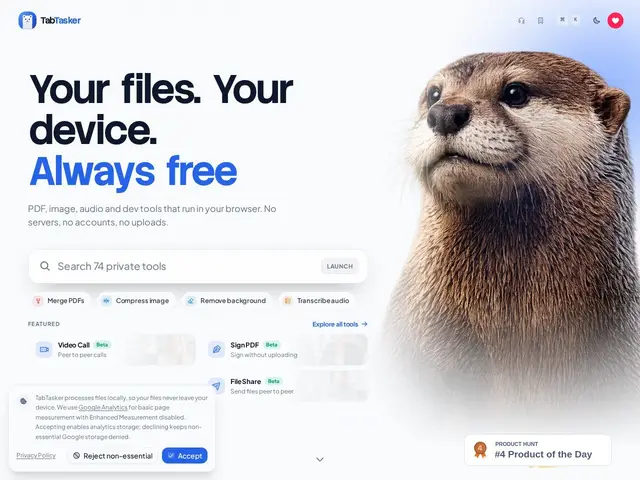
Description
A lot of everyday file tasks — shrinking a PDF, converting an image, cleaning up a CSV — send your file to a stranger's server just to do something your own computer is perfectly capable of doing locally. TabTasker skips that step entirely: every tool runs as code inside your browser tab, using your device's own processing power.
TabTasker bundles 50+ free utilities across four areas: PDF (merge, split, compress, convert, watermark, OCR, sign, redact), image (convert, compress, upscale, background removal, EXIF stripping, AI captioning), text/data (formatting, case conversion, markdown editing, CSV handling, sentiment analysis) and developer tools (Base64/URL encoding, JSON formatting, hashing, regex testing, QR codes), plus audio tools (transcription, trimming, format conversion, noise reduction). Everything is 100% client-side — no account, no upload, no server round-trip — with roughly 40 of the 52 tools requiring no model download at all and the rest running via WASM/WebGPU with a one-time local model fetch. It's free with no sign-up required.
💬 Our review
The short version: if you need to quickly process a file (PDF, image, audio, text) without uploading it to a random website, TabTasker is a genuinely useful free toolbox that keeps everything on your own machine.
Against a dedicated tool like iLovePDF for PDF work specifically, TabTasker's edge is breadth (PDF + image + audio + dev utilities in one place) and the privacy guarantee that nothing is uploaded — a real advantage for sensitive documents like contracts or medical files. The tradeoff is depth: a single-purpose tool built around one file type will usually have more advanced features for that specific job than a generalist toolbox does. For quick one-off tasks across different file types, especially anything you'd rather not upload anywhere, TabTasker is hard to beat on price (free) and trust; for heavy daily PDF editing at scale, a dedicated paid tool may still serve you better.
💰 Pricing
📊 Global score
🤖 AI-enriched data
100% gratuit, sans compte ni abonnement — traitement local, pas de coûts serveur répercutés à l'utilisateur.
Pros
100% client-side — aucun fichier n'est envoyé sur un serveur
Plus de 50 outils couvrant PDF, image, audio, texte, dev
Entièrement gratuit, aucun compte requis
La plupart des outils fonctionnent sans téléchargement de modèle
Cons
Moins de fonctionnalités avancées qu'un outil spécialisé par catégorie
Dépend des capacités du navigateur/appareil pour les gros fichiers
Pas de synchronisation ou d'historique cross-device (logique, vu l'absence de compte)