Assist
Mac app for voice-annotated screenshots, screen capture with editing, and local clipboard history, all processed on-device.
🔗 Visit Assist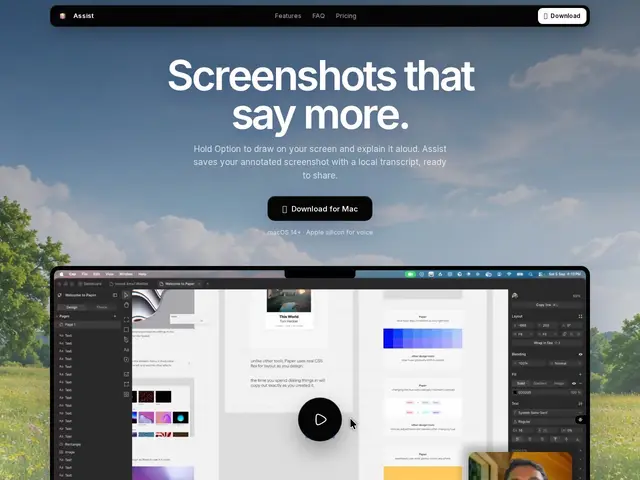
Description
Explaining a bug or a design tweak to a coworker usually means either typing a long message, or firing up a screen-recording app and uploading the video somewhere so they can watch it later. Assist skips both: hold a key, draw on your screen while you talk, and it turns your voice into text automatically, all without leaving your Mac or uploading anything to the cloud.
It bundles three workflows into one native macOS app: hold Option to annotate the screen and record voice notes that get transcribed on-device via WhisperKit; press Control+Option for a full-screen capture with built-in crop, blur, and backdrop editing; and a clipboard manager that keeps local history organized by text, images, or everything. It requires macOS 14 (Sonoma) or later, and the voice-transcription feature needs Apple silicon. It's a one-time $20 purchase per Mac, no subscription.
💬 Our review
The short version: a nicely-scoped, privacy-first alternative to reaching for Loom or CleanShot X when you just need to point at something on screen and explain it out loud, for a flat $20 instead of a recurring subscription.
Against Loom, Assist trades video messaging and shareable links for something faster and fully local: an annotated screenshot plus a transcript, good for quick async notes but not built for longer walkthroughs meant for people outside your Mac. Against CleanShot X (subscription or lifetime purchase, similar screenshot-editing toolkit), Assist's differentiators are the voice-to-text annotation and the bundled clipboard manager, at the cost of a narrower editing feature set. It's worth it if most of your "here's what I mean" moments are internal and quick; skip it if you regularly need to share recordings with people outside your team, or if you're not on Apple silicon.
💰 Pricing
📊 Global score
🤖 AI-enriched data
20$ achat unique par Mac, pas d'abonnement, licence par appareil.
Pros
100% local, zéro cloud
Prix unique sans abonnement
3 outils en un (annotation vocale, capture, presse-papiers)
Cons
macOS uniquement
Licence par appareil
Voix nécessite puce Apple Silicon