TouchNow
Turns an iPhone or iPad into a low-latency trackpad, game controller, and extended display for controlling a Mac remotely.
🔗 Visit TouchNow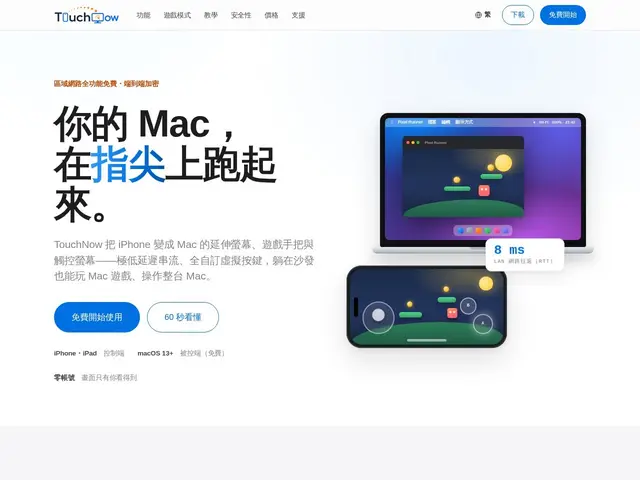
Description
If you want to check on something running on your Mac, keep a background process alive, or just play a Mac game from the couch, you normally need to actually sit at the computer. TouchNow turns your iPhone or iPad into a remote control for your Mac instead — a touchpad, a full keyboard, a customizable game controller, or even a second screen you can drag windows onto — connecting over your home Wi-Fi with very low delay, or over the internet with a paid plan.
It streams your Mac's screen with an 8ms median round-trip time on local networks and up to 60fps at 1080p, using peer-to-peer WebRTC with end-to-end encryption and no account required for local use. It supports fully customizable virtual gamepads (unlike fixed-button competitors), a dedicated single-window streaming mode, Wake-on-LAN to wake a sleeping Mac remotely, and automatic reconnection with picture-in-picture continuity. Local network use is free forever; remote access outside your home network requires a subscription ($2.99/month or $19.99/year).
💬 Our review
The short version: TouchNow is a genuinely well-built remote-control app for Mac, with the low latency and customizable virtual gamepad to back up its gaming-focused pitch, and being free forever on your local network makes it an easy tool to add for checking on a Mac from across the room.
Its closest comparisons are Parsec, Sunshine, and Steam Link — Parsec has no iOS app, Sunshine's Mac support doesn't inject controller input properly, and Steam Link only works within Steam's ecosystem, leaving TouchNow as the more complete "iPhone as a Mac controller" option covering controller, screen, and keyboard together. The free local-network tier covers most casual use (checking a running process, quick remote access at home); the paid tier is only needed for access when you're away from your home network, which is reasonable given the added infrastructure. Some marketing framing (e.g. keeping AI coding agents running) is really just one use case of a broader remote-control and gaming tool, worth knowing so expectations match what you're actually buying.
💰 Pricing
📊 Global score
🤖 AI-enriched data
Free on local network; $2.99/month or $19.99/year for remote access
Pros
Ultra-low latency streaming
Free forever on local network
End-to-end encrypted P2P
Customizable virtual gamepad
Cons
Paid tier needed for remote access
Requires iOS/iPadOS device
macOS 13+ only