GeneratePPT
Free AI tool that generates a full PowerPoint presentation in under a minute from a topic, file, URL, or transcript.
🔗 Visit GeneratePPT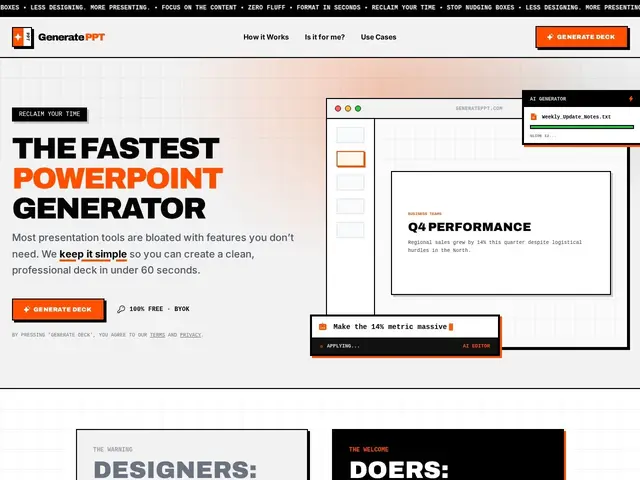
Description
Building a presentation from scratch usually means picking a topic, writing an outline, finding images, and formatting slides one by one — even for a rough first draft. GeneratePPT collapses that into one step: give it a topic, paste in a URL, upload a PDF or Word document, or hand it a YouTube transcript, and it produces a complete, ready-to-edit presentation with images and layout already done, in under a minute.
It's completely free to use, but runs on a bring-your-own-API-key model — you provide your own OpenAI API key, and OpenAI bills you separately for the actual generation calls. It supports an "AI Director" for refining individual slides after the initial draft, sources images automatically, and adapts layouts to content. It deliberately keeps design customization minimal (no fine-grained control over kerning, gradients, or transitions), positioning itself against tools like Gamma and Beautiful.ai as well as manually building in PowerPoint or Google Slides, for people who value speed over pixel-perfect design.
💬 Our review
The short version: GeneratePPT is a genuinely fast way to get a presentable first draft out of a topic or document, and the free-app-plus-your-own-API-key model means you only pay for what you actually generate rather than a monthly subscription — a good deal if you don't present often.
Against subscription-based AI slide tools like Gamma or Beautiful.ai, GeneratePPT's bring-your-own-key approach can be cheaper for occasional use (you pay OpenAI's usage rates instead of a flat monthly fee) but requires you to already have or set up an OpenAI API key, which is friction Gamma and Beautiful.ai don't impose. Design customization is intentionally limited — fine if you want a fast, clean starting point to then polish yourself, frustrating if you need precise branding or visual control out of the box. Worth using for quick first drafts and speed-focused presentations; skip it if pixel-perfect design control matters more than speed.
💰 Pricing
📊 Global score
🤖 AI-enriched data
Free app; user pays OpenAI directly for API usage
Pros
Generates full deck in under 60 seconds
Free app, pay-as-you-go via own API key
Multiple input formats supported
AI Director for slide refinement
Cons
Requires own OpenAI API key
Limited design customization
Not for pixel-perfect design needs