Ditch Community Edition
A macOS app that lets solo builders run several AI coding-agent (Codex) sessions across different projects at once, with a file browser, terminal, and history all in one window.
🔗 Visit Ditch Community Edition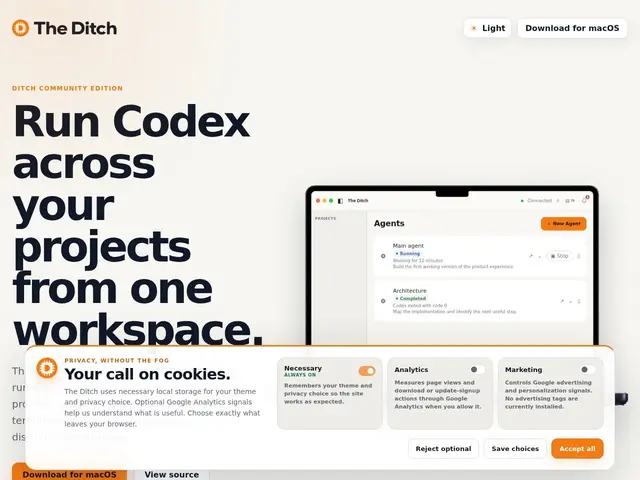
Description
Once you're using an AI coding agent like Codex for real work, a familiar mess shows up fast: you're juggling multiple terminal tabs, multiple project folders, and no easy way to tell at a glance which agent session finished, which is stuck, and which project you were even in five minutes ago. This is especially common for solo founders and indie hackers who run several small products at once and use AI agents as a way to move on all of them without a team.
Ditch is built specifically for that workflow: it's a local-first macOS workspace that manages multiple projects side by side, each with its own Codex session, status tracking, and local notifications when something needs attention. Instead of the terminal-tab juggling act, it keeps a persistent history of sessions and projects, bundles in a file browser and editor plus a built-in terminal, and requires no account — everything runs on your machine. It's positioned as the free "Community Edition" of a broader product, which is a signal there may be a paid tier down the line, though nothing beyond this free edition is documented publicly yet. The project is open source on GitHub (DitchNow/Ditch).
💬 Our review
The short version: Ditch's whole value proposition is reducing the cognitive overhead of running multiple AI-agent-assisted projects in parallel, which is a real and underserved pain point for solo builders specifically — most coding-agent tooling assumes you're working on one codebase at a time.
There isn't a well-established direct competitor doing exactly this (multi-project Codex session supervision as a dedicated macOS app) as of this review, which makes it hard to benchmark against alternatives — the closest comparisons are general terminal multiplexers (tmux, iTerm2 workspaces) or IDE-based session management, neither of which is purpose-built for tracking multiple agent sessions' status. Being macOS-only is a real limitation if your team isn't on Mac, and "Community Edition" naming suggests a paid tier is coming, which could change the value calculation once it lands. Worth trying now while it's free if you're a solo founder on macOS running Codex across more than one project; less relevant if you only ever work on a single codebase, where the overhead this solves doesn't really exist yet.
💰 Pricing
📊 Global score
🤖 AI-enriched data
Community Edition gratuite ; nom suggère une édition payante à venir, non documentée publiquement
Pros
Gère plusieurs projets et sessions Codex en parallèle dans une seule interface
Local-first, aucun compte requis
Terminal, éditeur de fichiers et historique persistant intégrés
Open source (DitchNow/Ditch)
Cons
macOS uniquement
Nom "Community Edition" laisse présager une édition payante future, non détaillée
Pas de concurrent direct établi pour comparer objectivement