MimicScribe
A Mac meeting assistant that transcribes calls on-device (no bot joining your meeting) and identifies who said what with claimed 97-99% speaker accuracy.
🔗 Visit MimicScribe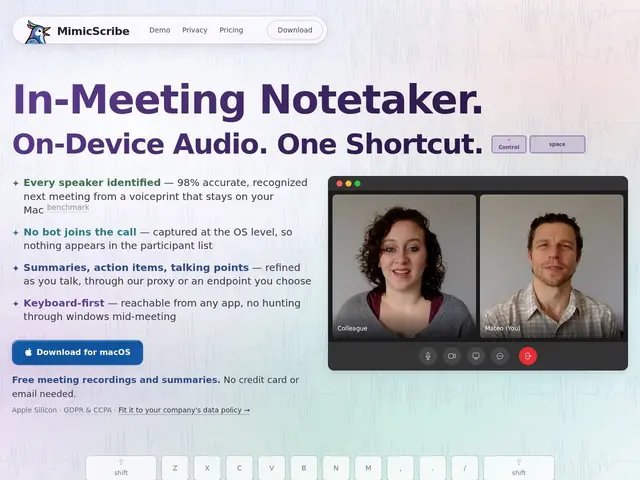
Description
Most AI meeting notetakers work by having a visible "bot" join your Zoom or Teams call as a participant — which some teams find awkward or policy-forbidden, and which stops working the moment you're on a call the bot can't join. MimicScribe takes a different approach: it captures audio directly from your Mac's operating system, without joining as a participant at all, and does the transcription and speaker identification locally on your machine rather than uploading audio to a cloud service.
Under the hood, MimicScribe uses on-device voiceprint recognition (claimed 97-99% accuracy) to attribute lines of a live transcript to specific speakers, then generates summaries and action items with that attribution intact. It can surface relevant prep notes before a meeting (claimed 83% accuracy), supports voice-based corrections and follow-up drafting, and lets you search across all past recordings. It integrates with Obsidian, Logseq, Spotlight, and AI agents via MCP, and lets you bring your own AI provider (OpenAI-compatible endpoints, Google, Ollama, LM Studio) instead of a fixed one. It's macOS-only and requires Apple Silicon (no Intel Macs, macOS 15+), and its automatic recording feature for Teams/Slack/Zoom is still in beta.
💬 Our review
The short version: MimicScribe is a well-thought-out, privacy-first alternative to bot-based meeting notetakers like Otter.ai or Fireflies, and its no-bot, on-device design is a real differentiator — but it only runs on Apple Silicon Macs, which rules it out for anyone on Windows, Linux, or an Intel Mac.
Against Otter.ai and Fireflies, both of which join your call as a visible bot and process audio in the cloud, MimicScribe's OS-level capture and on-device processing is a genuine advantage for privacy-conscious teams or companies with policies against third-party meeting bots. Against Trace — a very similar Mac-only, on-device, no-cloud transcription app — MimicScribe leans further into being a full meeting *assistant* (prep notes, voice-based follow-up drafting, MCP/AI-agent integration) rather than just a transcript-and-summary tool, at the cost of a recurring subscription instead of Trace's one-time purchase. At $6-18/month with a free tier (10 daily uses) and a 30-day money-back guarantee, it's reasonably priced if you actually use the AI-agent and prep-note features; if you just want a private transcript of your Mac meetings, Trace's one-time fee is cheaper over time.
💰 Pricing
📊 Global score
🤖 AI-enriched data
Gratuit (10 briefings/follow-ups/imports par jour) ; Light 6$/mois (200 briefings) ; Unlimited 18$/mois (illimité) ; -30% en annuel ; garantie remboursement 30 jours
Pros
Capture audio au niveau OS, aucun bot ne rejoint la réunion
Traitement 100% local (modèles on-device), pas d'upload audio dans le cloud
Identification des locuteurs revendiquée à 97-99% de précision
Compatible avec son propre fournisseur IA (OpenAI-compatible, Ollama, LM Studio)
Cons
Exclusivement macOS, Apple Silicon requis (pas d'Intel, pas de Windows/Linux)
Enregistrement automatique Teams/Slack/Zoom encore en beta
Abonnement récurrent, plus cher dans la durée qu'une alternative à achat unique comme Trace