WhichLLM
A command-line tool that scans your actual hardware and recommends which local LLMs will run well on it, ranked by real benchmark data instead of parameter count.
🔗 Visit WhichLLM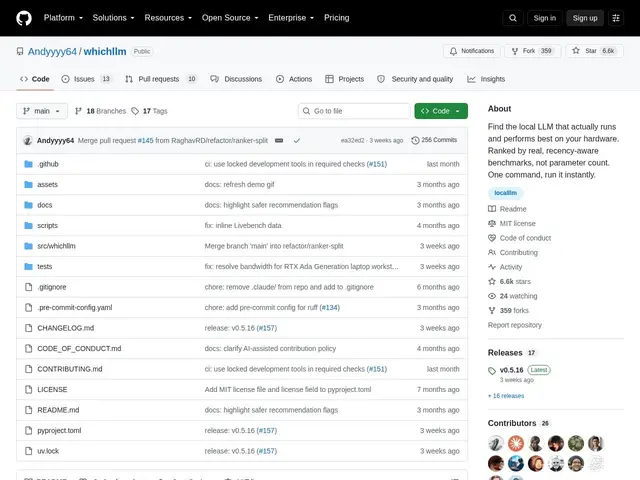
Description
Picking a local AI model to run on your own computer usually means guessing from a parameter count ("7B", "13B") and hoping it fits in your GPU's memory without crashing or crawling. WhichLLM replaces the guesswork: it looks at your actual hardware — your GPU, CPU, and RAM — and tells you which local language models will realistically run well on it, ranked by how good they actually are, not just how big they are.
WhichLLM auto-detects NVIDIA, AMD, Intel, Apple Silicon, or CPU-only hardware, estimates VRAM requirements and generation speed for each candidate model, and ranks results using merged public benchmarks (LiveBench, Artificial Analysis, Arena ELO) with recency-aware scoring that demotes stale leaderboard entries. It offers an interactive chat mode (`whichllm run`), can simulate multi-GPU setups for upgrade planning, generates integration code snippets, and exports results as JSON or markdown for scripting and CI/CD. It's a Python CLI tool (MIT-licensed) with over 6,600 GitHub stars, built on llama-cpp-python, transformers, autoawq, and auto-gptq, and it depends on the HuggingFace API with TTL-based caching for its data — speed estimates come with confidence indicators and may vary by inference backend.
💬 Our review
The short version: WhichLLM solves a real, common frustration — not knowing which local model will actually run well on your specific machine — with solid benchmark-backed data rather than marketing claims, and its 6,600+ stars suggest it's already useful to a lot of people.
Against just checking a model card and guessing, or using LM Studio's built-in compatibility hints (the one alternative it names itself), WhichLLM's advantage is combining real benchmark rankings (LiveBench, Arena ELO) with hardware-specific VRAM/speed estimates in one command, rather than making you cross-reference multiple sources by hand. It's free and open-source (MIT), so there's no cost barrier to trying it. The main caveat is that speed estimates are estimates with confidence bands, not guarantees, and it depends on the HuggingFace API staying available and its cached benchmark data staying current. Worth using before buying a GPU upgrade or downloading a new local model; not a replacement for actually benchmarking your specific workload once you've narrowed the choice down.
💰 Pricing
📊 Global score
🤖 AI-enriched data
Gratuit, licence MIT
Pros
Détection automatique du matériel (NVIDIA, AMD, Intel, Apple Silicon, CPU)
Classement basé sur de vrais benchmarks fusionnés (LiveBench, Artificial Analysis, Arena ELO)
Plus de 6600 étoiles GitHub, projet activement utilisé
Simulation multi-GPU et export JSON/Markdown pour scripts et CI/CD
Cons
Dépend de l'API HuggingFace (cache à durée de vie limitée) pour ses données
Estimations de vitesse assorties d'indicateurs de confiance, pas des garanties
Ne remplace pas un benchmark réel sur votre charge de travail spécifique