Photo Batch Importer
A free, open-source macOS app that imports photos from memory cards, renaming them from real EXIF data and verifying transfer integrity with checksums.
🔗 Visit Photo Batch Importer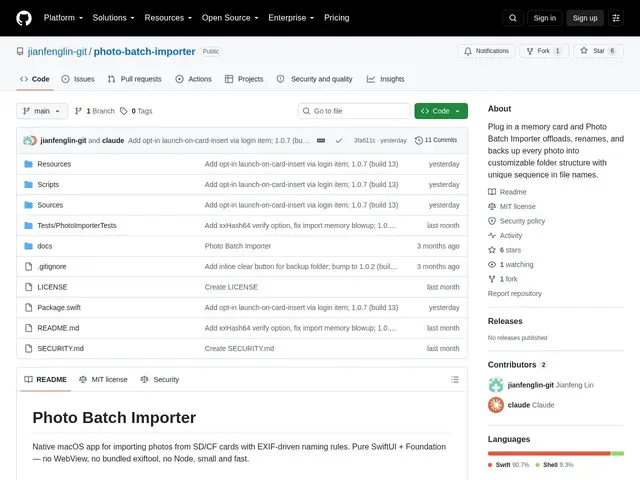
Description
Every time you pull a memory card out of a camera and plug it into your Mac, you're faced with a folder of files named things like DSC_0001.jpg — no dates, no camera info, nothing that tells you what's actually in them. Photo Batch Importer automates that first step: it reads the card, renames every photo using real information from the photo itself (date, camera, lens), and checks that nothing got corrupted along the way.
Photo Batch Importer is a native macOS app, built purely in SwiftUI and Foundation with no third-party dependencies, that imports photos from SD/CF cards using EXIF metadata for template-driven file naming (date, time, camera, lens, exposure). It supports 8+ RAW formats (CR2/CR3, NEF, ARW, DNG, RAF among others) with dual JPG+RAW pair detection, verifies file integrity via SHA-256 or xxHash64 checksums during transfer, and keeps a persistent sequence counter across import sessions. It's free, open source under the MIT license, and available on the macOS App Store.
💬 Our review
The short version: if you're a photographer manually renaming and organizing files after every shoot, this automates that entire first step for free — the tradeoff is it's a very young project (6 GitHub stars, no public releases yet despite the App Store listing) from a solo developer, so treat it as promising rather than proven.
Compared to Photo Mechanic, the long-standing professional standard for fast photo culling and renaming, Photo Batch Importer covers a narrower slice — import and rename with verification, not full culling/tagging workflows — but does it for free instead of Photo Mechanic's paid license, and with checksummed transfer verification that not every free tool bothers with. Adobe Bridge and the built-in macOS Photos app can both import from cards too, but neither gives you EXIF-template-driven renaming or dual RAW+JPG pair detection out of the box. Worth trying if you want free, checksum-verified imports with real naming control and don't mind an early-stage indie tool; stick with Photo Mechanic if you need a mature, professionally-supported culling workflow for paid client work.
💰 Pricing
📊 Global score
🤖 AI-enriched data
Gratuit et open source (licence MIT)
Pros
Renommage piloté par les métadonnées EXIF réelles (date, appareil, objectif)
Support de 8+ formats RAW avec détection des paires JPG+RAW
Vérification d'intégrité par checksum SHA-256/xxHash64 pendant le transfert
Gratuit et open source (MIT), disponible sur le Mac App Store
Cons
Projet très jeune, seulement 6 étoiles GitHub
Aucune release publique sur GitHub malgré la présence sur l'App Store
Développeur solo, peu de validation tierce