Lime Cleaner for macOS
A $14 one-time Mac utility that finds and safely removes developer clutter — Xcode archives, Docker resources, and package caches across seven-plus ecosystems — instead of a generic disk cleaner.
🔗 Visit Lime Cleaner for macOS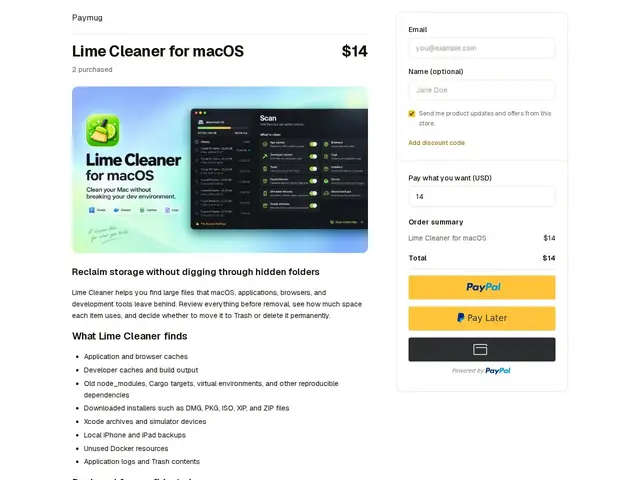
Description
If you do any kind of app development on a Mac, your hard drive fills up fast with stuff you never explicitly asked for: old iOS simulator devices, Docker images you forgot about, years of node_modules folders, Xcode build caches. Lime Cleaner is built specifically to find and clear out that developer-specific clutter, instead of a generic 'disk cleaner' that doesn't know what a Cargo cache is.
Lime Cleaner scans for caches, build artifacts and reproducible dependencies across the major dev ecosystems — Xcode archives and simulators, Docker resources, and package caches for Node.js, Python, Rust, Java, Swift, Flutter and .NET. It runs entirely locally (nothing is uploaded), and shows a preview of what it plans to delete before anything is removed, with a Trash-based safety net. It's sold as a $14 one-time purchase rather than a subscription.
💬 Our review
The short version: if you're tired of generic Mac cleaners that don't understand what a pip cache or a Gradle build directory is, Lime Cleaner's dev-ecosystem-aware scanning is a genuinely useful, narrowly-targeted alternative — but it currently only exists as a checkout page on Paymug, with no independent website, GitHub repo, or support channel to vet it further.
General-purpose cleaners like CleanMyMac or DaisyDisk will find large files and some caches, but they don't specifically understand the shape of a Cargo target/ directory versus something you actually need — Lime Cleaner's pitch is precision for exactly that blind spot, across seven-plus ecosystems in one tool. At $14 one-time versus CleanMyMac's ongoing subscription, the price is right if it does what it claims. The catch is discoverability and trust: there's no changelog, no public issue tracker, and no way to verify the safety claims beyond the product page itself, which is a real risk for a tool that deletes files. Worth it if you're a polyglot developer drowning in build artifacts and comfortable trying a small indie tool; skip it if you'd rather stick to a cleaner with a public track record, or just run manual cleanup commands for free.
💰 Pricing
📊 Global score
🤖 AI-enriched data
14$ (paiement unique, pas d'abonnement)
Pros
Scan spécifique aux écosystèmes dev (Xcode, Docker, npm, pip, Cargo, Gradle...)
Traitement 100% local, aucune donnée envoyée dans le cloud
Aperçu avant suppression + option Corbeille
Prix unique de 14$ vs abonnement des cleaners génériques
Cons
Aucun site indépendant, seulement une page de paiement Paymug
Pas de dépôt GitHub, pas de changelog public
Petit produit indie, risque d'abandon