Selection Toolbar
A free browser extension that pops up a small toolbar next to any text you highlight, so copying, translating, or asking an AI about it takes one click instead of a right-click menu hunt.
🔗 Visit Selection Toolbar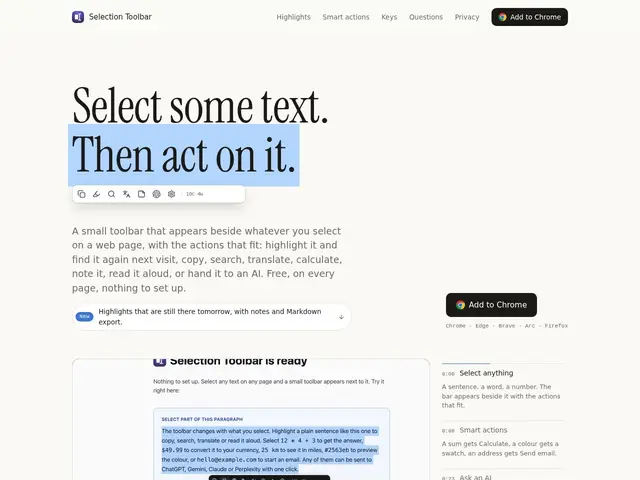
Description
Highlighting text on a webpage to copy, search, or translate it usually means digging through a right-click context menu buried with options you don't need. Selection Toolbar puts the handful of actions you actually use right next to your cursor the moment you select text.
Selection Toolbar is a free browser extension that shows a context-aware toolbar beside any selected text, offering one-click actions like copy, search, translate, define, calculate, read aloud, or send directly to ChatGPT, Gemini, Claude, or Perplexity. It's built with privacy in mind — it only reads the text you've selected, never the rest of the page — and runs lightweight inside a shadow DOM without loading extra web fonts or bloat. It's available across Chrome, Firefox, Edge, Brave, Vivaldi, Opera, and Arc, with single-key shortcuts for every action and optional sign-in only needed for the AI-assistant integrations.
💬 Our review
The short version: Selection Toolbar is a genuinely useful, free, privacy-respecting utility that saves the small daily friction of right-click menus, especially if you regularly paste selected text into an AI chat.
Grammarly and Quillbot offer similar in-context popups but are built around their own writing/paraphrasing products specifically, not general-purpose actions like calculate or read-aloud; browsers' own native right-click menus technically offer some of the same actions but require more clicks and no single-key shortcuts. Selection Toolbar's differentiator is breadth (translate, define, calculate, TTS, and multi-AI routing in one popup) combined with a real privacy commitment — reading only the selection, not the page — which matters if you're pasting sensitive text into it. The tradeoff is a toolbar popup itself can feel intrusive on text-heavy pages until you get used to repositioning or ignoring it, and any browser extension inherently asks for permissions that make some users cautious. For anyone who selects and acts on text frequently, it's a low-risk, no-cost upgrade to the browsing default.
📊 Global score
🤖 AI-enriched data
Gratuit, aucun palier payant ni compte requis.
Pros
Disponible sur tous les navigateurs majeurs (Chrome, Firefox, Edge, Brave, Vivaldi, Opera, Arc)
Design privacy-first : ne lit que le texte sélectionné, jamais la page entière
Léger, sans polices web ni surcharge, tourne dans un shadow DOM
Raccourcis à une touche pour chaque action
Connexion optionnelle pour intégrer ChatGPT, Gemini, Claude et Perplexity
Cons
La barre d'outils peut être intrusive sur des pages denses en texte si mal repositionnée
Nécessite des permissions d'extension qui déclenchent des avertissements du store