MyHandler
Windows AI assistant that recalls your day, drafts replies and transcribes speech, encrypted locally on disk
🔗 Visit MyHandler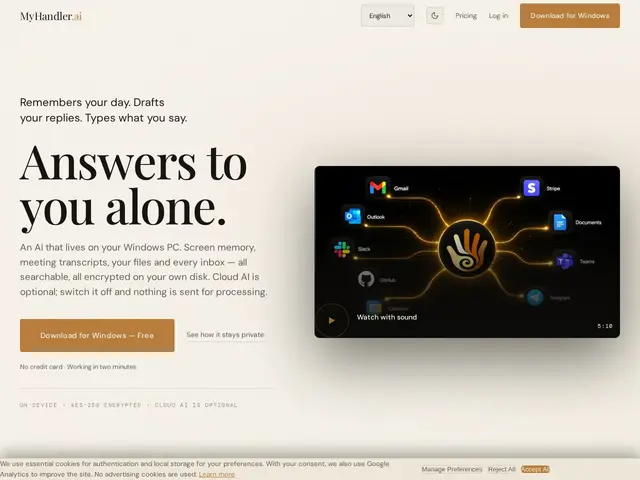
Description
Imagine having an assistant who remembers every email, meeting and file you touched this week, and can instantly pull up "that thing from Tuesday" — without you having to organize anything yourself, and without the notes leaving your own computer. That's what MyHandler is trying to be for Windows users.
MyHandler is a Windows-native AI assistant that indexes your screen activity, meeting transcripts, email and files locally with AES-256 disk encryption, making them searchable through a feature called Recall. It also includes Ghostwriter (AI-drafted email and message replies), Dictation (voice-to-text in 30 languages), and Voice Commands, plus remote access via SMS or Telegram. Cloud AI is off by default, so processing stays on the machine unless you opt in. It targets knowledge workers with a high volume of email and meetings who want AI help without handing everything to a cloud archive.
💬 Our review
The short version: MyHandler's pitch — full local indexing plus opt-in (not default) cloud AI — is a meaningfully different privacy stance than most AI executive-assistant apps, and it backs that up with real encryption rather than a marketing line.
Against Microsoft Copilot Pro, MyHandler is Windows-only versus Copilot's broader OS reach, but it's more privacy-forward by keeping cloud AI opt-in. Against specialized tools like Otter.ai (transcription-only) or Motion (email-only), MyHandler bundles recall, drafting, dictation and voice commands into one app, which is convenient but also means it's a jack-of-several-trades rather than best-in-class at any single one. Pricing stacks fast — $79/month for the Executive tier — and credits are consumed by transcription and advanced features, so heavy users should check the math before committing. Worth it if you want a privacy-conscious all-in-one assistant on Windows; skip it if you're on Mac/Linux or only need one of its features.
📊 Global score
🤖 AI-enriched data
Free : 0 $/mois (50 chats IA, 300 crédits) · Personal 19 $/mois · Business 39 $/mois · Executive 79 $/mois. Les crédits sont consommés par la transcription et les fonctions IA avancées.
Pros
Chiffrement local AES-256, IA cloud désactivée par défaut
Indexation complète (email, fichiers, réunions, écran) pour une vraie recherche rétrospective
Accès à distance multi-canal (SMS, Telegram)
Dictée vocale en 30 langues et commandes vocales
Cons
Windows 10/11 uniquement — macOS et Linux annoncés en roadmap seulement
Paliers qui montent vite (79 $/mois pour le tier le plus complet)
IA cloud désactivée par défaut : activation manuelle nécessaire pour en profiter