cursor-chat-cleaner
A command-line utility for managing Cursor IDE chat histories on macOS. List, view, back up, and delete Cursor chat sessions with safety checks.
🔗 Visit cursor-chat-cleaner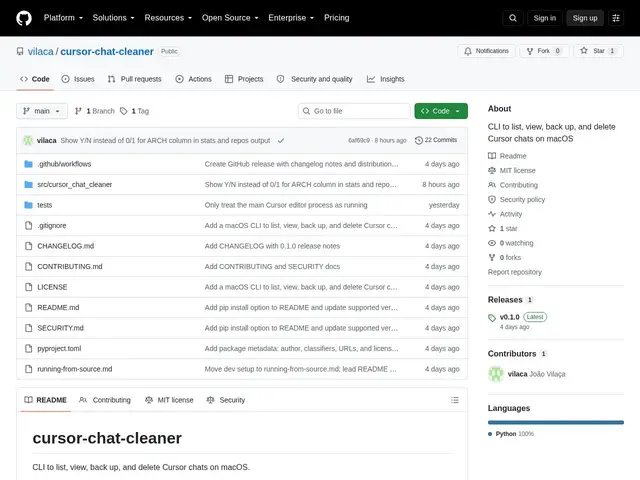
Description
If you use the Cursor code editor's AI chat regularly, your chat history quietly piles up on disk — old conversations, sensitive snippets, whole projects' worth of back-and-forth, with no built-in way to clean it out selectively. cursor-chat-cleaner is a small command-line tool that gives you that missing "manage my chat history" button.
cursor-chat-cleaner is a free, open-source CLI for macOS that lists, filters (by repository, chat ID, or date), views, backs up, and deletes Cursor IDE chat sessions stored locally. It includes safety mechanisms like dry-run previews and explicit confirmation flags before deletion, timestamped backups to a restricted-access directory, JSON output for scripting, and detailed per-chat statistics (models used, files touched, context tokens, line changes).
💬 Our review
The short version: this is a narrow, well-scoped utility that does one unglamorous but genuinely useful job — safe, filtered cleanup of Cursor's local chat storage — and does it with sensible safety defaults.
Cursor's own UI lets you delete chats one at a time, but has no bulk filtering by repository or date, no dry-run preview, and no backup step before deletion, which is exactly the gap this tool fills. There's no real competing dedicated tool for this specific job; the alternative is simply living with Cursor's built-in (limited) chat management or manually digging through its local storage files, which is riskier. As a small, single-maintainer CLI it won't get frequent updates or a big community, and it's macOS-only for now, but for what it does — quickly finding and safely purging old or sensitive Cursor chats — it's a low-risk, zero-cost addition to a Cursor user's toolkit.
💰 Pricing
📊 Global score
🤖 AI-enriched data
Gratuit, licence MIT, script CLI Python, aucune offre commerciale.
Pros
Filtrage par dépôt, date ou identifiant de chat
Mode dry-run avant toute suppression
Sauvegardes horodatées avant suppression
Statistiques détaillées par chat (modèles, tokens, fichiers)
Gratuit et open source
Cons
macOS uniquement
Projet mono-mainteneur, mises à jour incertaines
Outil en ligne de commande, pas d'interface graphique