SignFile
Digital contract signing platform that enables users to collect legally binding electronic signatures on PDFs without requiring signers to create accounts.
🔗 Visit SignFile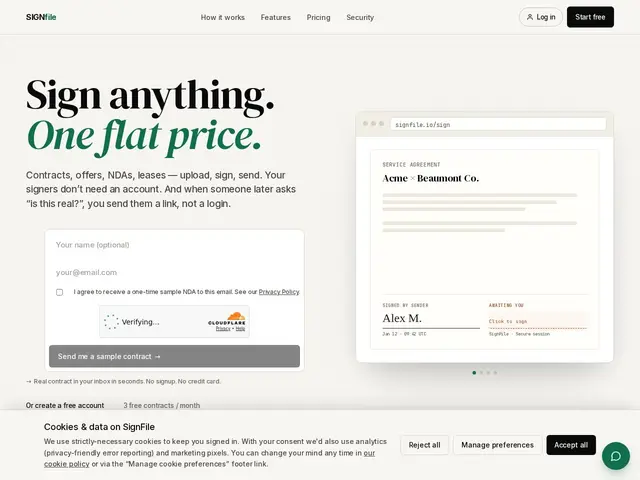
Description
Getting a contract signed the old way usually means printing it, signing it, scanning it back in, or emailing a PDF back and forth and hoping nobody edits the terms along the way. SignFile is a straightforward e-signature tool: you upload a PDF, drop signature fields onto it, and send a link — the other person signs in their browser with no account, no software, and no back-and-forth, and you get a tamper-evident, legally recognized signed document back.
Under the hood, SignFile sanitizes uploaded PDFs (stripping embedded JavaScript and other exploit vectors), timestamps and IP-logs every signing event for an audit trail, and seals finished documents with SHA-256 verification so anyone can confirm a signed file hasn't been altered via a public verification link — no login required. It's built for solo professionals, freelancers, consultants, and small teams handling NDAs, leases, service agreements, and offer letters, rather than enterprise legal departments. Pricing is a simple freemium ladder: free for 3 documents/month, $9/month for 30, $19/month for unlimited as a solo user, and $29/month for a 5-seat team plan (plus $5 per extra seat), with two months free on annual billing. It's built to comply with the US ESIGN Act and UETA.
💬 Our review
The short version: SignFile does one job — collect a legally binding signature on a PDF without friction for either side — and does it at a price that undercuts the big incumbents by a wide margin.
DocuSign and Adobe Sign dominate this space but are priced and built for enterprise procurement, with plans that often start well above SignFile's $19/month unlimited tier and feature sets (workflow automation, deep CRM integrations, compliance certifications) that a freelancer or five-person team will never touch. SignFile's bet is that most small businesses just need "send PDF, get it signed, verify it later," and its no-login-required signing plus public verification links deliver exactly that without the enterprise overhead. The tradeoff is scale and trust: it's a newer, smaller vendor, so if you need SOC2 paperwork, deep integrations, or handle high-stakes contracts where a Fortune 500 counterparty expects DocuSign specifically, this isn't the tool. For solo professionals and small teams just trying to stop chasing signatures over email, it's a legitimate, cheaper alternative worth trying on the free tier first.
💰 Pricing
📊 Global score
🤖 AI-enriched data
Gratuit (3 docs/mois) · Starter 9 $/mois (30 docs) · Pro 19 $/mois (illimité) · Team 29 $/mois (5 sièges) + 5 $/siège supplémentaire · -2 mois en facturation annuelle
Pros
Signature sans création de compte pour le signataire, friction minimale
Prix nettement sous DocuSign/Adobe Sign, notamment le palier illimité à 19 $/mois
Assainissement des PDF (retrait JS/exploits) et vérification SHA-256 publique
Conforme ESIGN Act et UETA, journal d'activité horodaté avec IP
Cons
Vendeur plus jeune et plus petit que DocuSign/Adobe, moins de garanties de confiance pour des contrepparties exigeantes
Pas d'intégrations profondes (CRM, workflows complexes) mentionnées
Peu adapté aux grandes entreprises ou signatures à fort enjeu réglementaire