Magic Layers
AI tool that analyzes a flat image and automatically separates it into individual, named, editable layers, exported as transparent PNGs.
🔗 Visit Magic Layers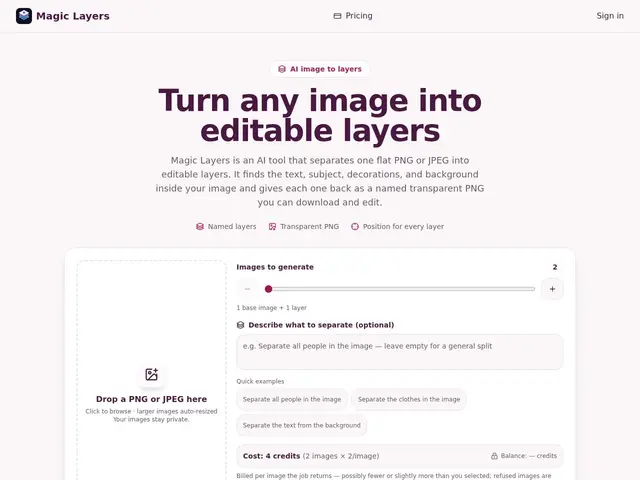
Description
If you've ever received a finished flat image — a logo, a poster, a game asset — without the original layered file, you know the pain of trying to isolate one element to edit it. Magic Layers uses AI to reverse-engineer that flat image back into separate, named, transparent layers, so you can pull out and edit individual elements without ever having had the source file.
Magic Layers is an AI-powered tool that analyzes flat PNG or JPEG images and automatically separates them into individual editable layers with named labels and preserved position/stacking-order data, exporting transparent PNGs compatible with Photoshop, Figma, Canva, presentation software, and game engines. Users choose 2–15 output layers per job and can add optional descriptions to guide which elements get prioritized, targeting designers, marketers, e-commerce teams, and game developers who need to repurpose finished visuals.
💬 Our review
The short version: solves a genuinely annoying, specific problem — no source file, need to edit one element of a flat image — reasonably well, at a subscription price that only makes sense with regular use.
Manual alternatives (tracing and rebuilding layers by hand in Photoshop, or asking the original designer for source files) are either time-consuming or often impossible. Magic Layers automates that reconstruction, which is a real time-saver when it works, though results necessarily depend on how visually separable the elements in the source image actually are — dense or overlapping compositions will be harder to cleanly split. At $29–$149/month with no free tier, it's a tool for people who need this repeatedly (agencies, marketing teams), not a one-off fix. For occasional need, freelance retouching or manual rebuild will likely cost less overall.
💰 Pricing
📊 Global score
🤖 AI-enriched data
Basic 29$/mois, Pro 79$/mois, Studio 149$/mois. 2 crédits par image de sortie, pas de plan gratuit.
Pros
Sépare une image plate en calques nommés et positionnés automatiquement
Compatible Photoshop, Figma, Canva et moteurs de jeu
Nombre de calques ajustable (2 à 15) selon le besoin
Descriptions optionnelles pour guider la priorisation des éléments
Cons
Abonnement mensuel relativement cher pour un usage occasionnel
Résultat dépend de la complexité de l'image source, pas garanti parfait
Pas de plan gratuit pour tester avant d'acheter