Schist
Free, open-source desktop image editor with GPU acceleration, 134 Photoshop-compatible filters, and byte-for-byte PSD/Affinity file support.
🔗 Visit Schist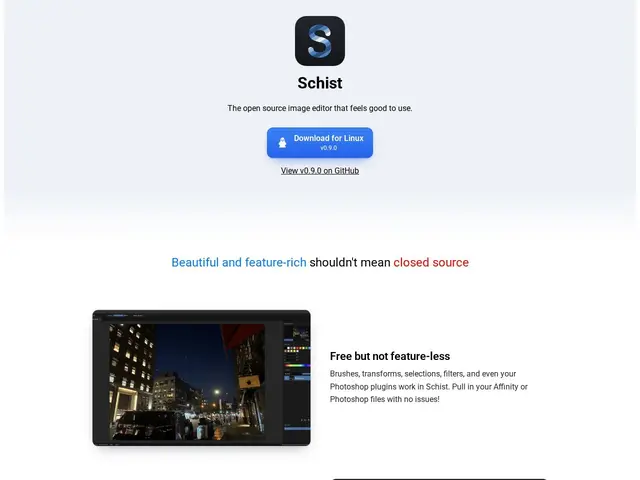
Description
Photo and image editing software is dominated by expensive subscriptions — Photoshop alone can run well over $200 a year. Schist is a free, open-source alternative built to open your existing PSD or Affinity files without losing data, and to feel fast doing it.
Schist is a desktop image editor with brushes, transforms, selections, and 134 Photoshop-compatible filters, rendered with GPU acceleration via WebGPU compute shaders for a startup time under two seconds. It reads and writes Photoshop (PSD/PSB) and Affinity files with byte-for-byte data preservation, so round-tripping files with colleagues on commercial software doesn't lose layers or metadata. It also ships a plugin architecture built on sandboxed WebAssembly and an MCP integration for headless/scripted operation. It's MIT-licensed, so there's no cost and no vendor lock-in.
💬 Our review
The short version: Schist is a genuinely credible free alternative to Photoshop and Affinity Photo for people who don't need every plugin and third-party integration those ecosystems offer, and being open source under MIT means zero licensing risk going forward.
Against Photoshop's roughly $23/month Creative Cloud subscription or Affinity's one-time ~$70 purchase, Schist costs nothing and still claims byte-for-byte compatibility with both formats — a meaningful claim if true, since format fidelity is usually where free editors fall apart. GIMP is the more established free competitor, but Schist's GPU-accelerated pipeline and native PSD/Affinity round-tripping target a more professional workflow than GIMP typically delivers. What Schist can't match yet is either ecosystem's maturity: Photoshop and Affinity have years of plugins, tutorials, and a large user base behind them, while Schist is a newer project without that depth of third-party support. For someone who mainly wants solid non-destructive editing and file compatibility without paying, Schist is worth trying first; for teams relying on specific Photoshop plugins or Affinity's design-suite integrations, it's a complement rather than a full replacement for now.
💰 Pricing
📊 Global score
🤖 AI-enriched data
Open source sous licence MIT, aucun coût
Pros
Gratuit et open source (MIT)
Compatibilité PSD/Affinity byte-for-byte
134 filtres compatibles Photoshop
Accélération GPU (WebGPU), démarrage sous 2 secondes
Cons
Écosystème de plugins et tutoriels bien plus restreint que Photoshop/Affinity
Projet plus récent, moins de retours d'usage professionnel long terme
Pas de version mobile ou web mentionnée