Flostep
A browser-based tool for building interactive, step-through system diagrams that walk viewers through how a system works one step at a time, embeddable in Confluence, Notion, and blogs.
🔗 Visit Flostep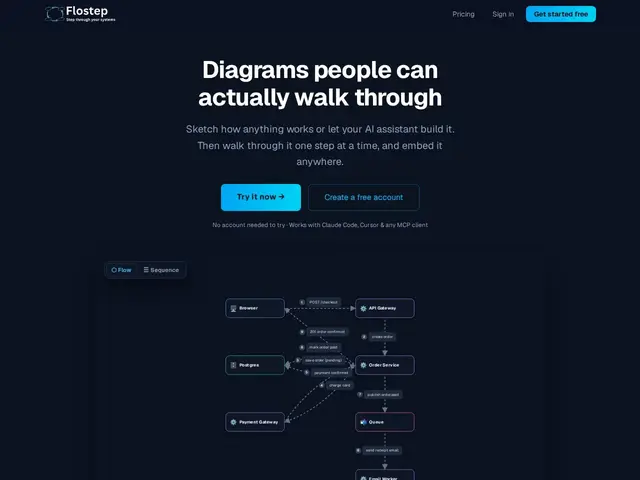
Description
A static architecture diagram shows you all the boxes and arrows at once, which is often more confusing than helpful when you're trying to explain how data actually flows through a system. Flostep lets you build the same kind of diagram but walk through it interactively, one step at a time.
Flostep is a browser-based diagramming tool with drag-and-drop components (frontend, service, database, cache, queue, external API, or custom blocks), plus code-to-diagram import using a plain-text syntax for people who'd rather describe a system than draw it. Diagrams are interactive and step-through, can be shared as public read-only links or embedded via a single iframe in Confluence, Notion, or a blog, and support async comments and a notes panel for capturing trade-offs. It auto-saves to the cloud and integrates with AI coding tools (Claude, Cursor, VS Code, Windsurf) via MCP. It's aimed at system-design interview prep, documentation, onboarding, and async design reviews, with a free plan (limited diagrams, no credit card) and a Pro plan for unlimited diagrams.
💬 Our review
The short version: Flostep's step-through interactivity is a genuinely different approach from static diagramming tools, and it's worth trying for system-design documentation or interview prep specifically — the free plan makes that low-risk.
Excalidraw and tldraw are the popular free/open-source options for quick sketching, but they're static canvases — nothing walks a viewer through the diagram step by step the way Flostep does. Lucidchart and Miro are the established enterprise diagramming and whiteboarding tools, with far broader feature sets (templates, real-time multi-user editing, integrations), but neither is built around the step-through-narrative format that makes Flostep useful for explaining data flow or system architecture to someone unfamiliar with it. If your main use case is quick freeform sketching or team whiteboarding, Excalidraw or Miro fit better; if you specifically want to document or teach how a system works step by step — interview prep, onboarding docs, async design reviews — Flostep's format is a closer match, and the free tier costs nothing to test that fit.
💰 Pricing
📊 Global score
🤖 AI-enriched data
Plan gratuit (diagrammes limités, sans carte bancaire), Pro pour diagrammes illimités
Pros
Diagrammes interactifs en pas-à-pas, format unique
Import code-vers-diagramme en syntaxe texte
Intégration MCP avec Claude, Cursor, VS Code, Windsurf
Embed en iframe unique pour Confluence/Notion/blog
Cons
Plan gratuit limité en nombre de diagrammes
Moins de fonctionnalités collaboratives temps réel que Miro
Écosystème de templates plus restreint que Lucidchart