TinyGit
Native macOS Git client with a simple two-column layout and plain-English error messages, built for developers who want to avoid the Git command line without paying for a subscription.
🔗 Visit TinyGit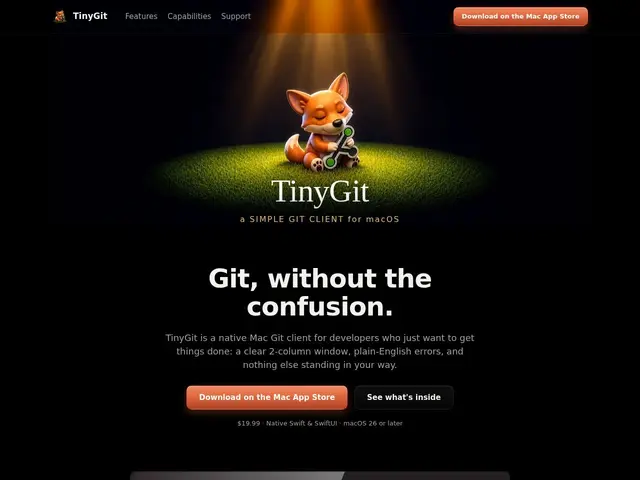
Description
Git's command line is powerful but its error messages are famously cryptic — "fatal: refusing to merge unrelated histories" doesn't mean much if you're not already fluent in Git internals. TinyGit is a Mac app that wraps the same operations in a plain two-column window and translates the errors into things a normal person can actually act on.
TinyGit is a native macOS Git client offering branch checkout and push with visual color coding, a repository sidebar for managing several projects at once, a simplified staging workflow with checkboxes, and a conflict-resolution editor. Advanced operations — cherry-pick, revert, reset, tags, stash — are tucked into a right-click menu rather than the main interface, keeping day-to-day use simple. It integrates with external editors (VS Code, Xcode, Sublime Text), offers multiple visual themes, and needs no separate Git installation. It's sold as a one-time $19.99 purchase through the Mac App Store, not a subscription.
💬 Our review
The short version: TinyGit is a fair deal for a Mac developer who finds Git's CLI errors more frustrating than they're worth and wants a clean GUI without committing to a monthly fee.
Against Tower or GitKraken, both of which are subscription products ($69-99+/year), TinyGit's flat $19.99 one-time price is a clear structural advantage if all you need is the everyday basics — staging, committing, branching, pushing, and resolving the occasional conflict. Against GitHub Desktop and Sourcetree, which are free, TinyGit's pitch is a more polished, native macOS interface and — its actual differentiator — plain-English error messages instead of raw Git output, which matters most for developers newer to Git rather than power users. The tradeoff is real: Tower and GitKraken offer deeper visual history graphs, submodule support, and broader ecosystem integrations that a $19.99 tool from a small team is unlikely to match feature-for-feature. If your Git usage is mostly commit/push/branch/merge and you want to never see "fatal: refusing to merge unrelated histories" again, TinyGit pays for itself in the first week; if you need advanced history visualization or enterprise features, stick with GitKraken or Tower.
💰 Pricing
📊 Global score
🤖 AI-enriched data
$19.99, paiement unique via le Mac App Store, pas d'abonnement
Pros
Achat unique à $19.99, pas d'abonnement
Messages d'erreur Git traduits en langage clair
Interface native macOS à deux colonnes, simple d'accès
Intégration avec VS Code, Xcode, Sublime Text
Cons
Moins de fonctionnalités avancées que GitKraken ou Tower (graphes d'historique, sous-modules)
macOS uniquement
Petite équipe, écosystème d'intégrations plus restreint