SeenShot
macOS screenshot app that captures, annotates, and shares a screenshot as a link in a few clicks, without the watermark and storage limits kicking in only if you're a heavy user.
🔗 Visit SeenShot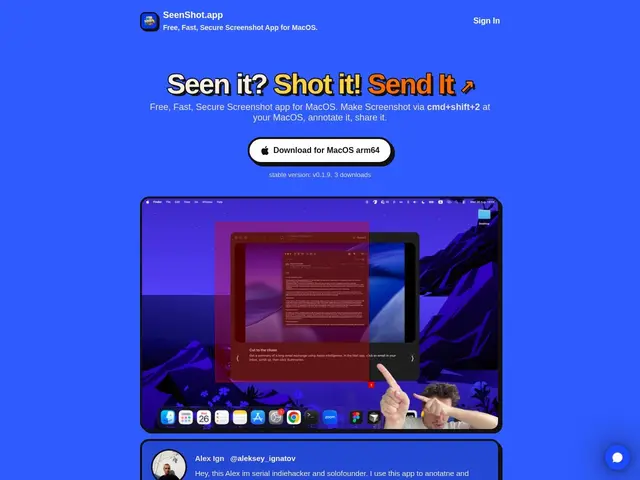
Description
Taking a screenshot on a Mac is easy; explaining what's in it usually isn't, especially when you need arrows, blurred-out sensitive info, or numbered steps to make a point clearly. SeenShot adds that annotation layer directly to the capture flow, then lets you share the result as a link instead of a raw image file.
SeenShot is a macOS screenshot app triggered by cmd+shift+2, offering arrow, line, and text annotations, zone highlighting with numbered steps, a blur tool for sensitive content, a color picker, background customization, and webcam photo insertion. Screenshots can be saved locally or shared instantly via a cloud link. The free tier includes a watermark and 10 MB of storage; the Member tier, at $29/year, removes the watermark and raises storage to 1 GB, with an enterprise license option also available.
💬 Our review
The short version: SeenShot is a solid, cheap upgrade over macOS's built-in screenshot tool specifically for annotation and quick link-sharing, and $29/year is low enough that the free tier's watermark is easy to just pay to remove.
Against macOS's native screenshot tool (Cmd+Shift+4), which has no built-in annotation or link-sharing, SeenShot adds real value for anyone who regularly explains something visually — support tickets, bug reports, quick tutorials. Against CleanShot X, a more established and feature-rich competitor in the same space (video recording, scrolling capture, more advanced editing), SeenShot is narrower in scope but also considerably cheaper — CleanShot X runs closer to $29 as a one-time price per year in comparable tiers, so check current pricing before assuming SeenShot is automatically the better deal. For someone who just needs quick annotated screenshots and shareable links without paying for video capture or advanced features, SeenShot's focused feature set is enough; for a power user doing screen recordings or scrolling captures regularly, CleanShot X or ShareX (Windows) offer more.
💰 Pricing
📊 Global score
🤖 AI-enriched data
Gratuit avec filigrane et 10 Mo de stockage ; Member $29/an sans filigrane et 1 Go de stockage
Pros
Annotation intégrée (flèches, texte, surlignage, flou)
Partage instantané par lien cloud
Prix accessible ($29/an pour retirer le filigrane)
Raccourci clavier direct (cmd+shift+2)
Cons
Moins de fonctions que CleanShot X (pas d'enregistrement vidéo ni capture déroulante)
macOS uniquement
Palier gratuit limité à 10 Mo de stockage