Invovanta
AI-powered invoicing platform for freelancers and teams that automates invoice creation, receipt scanning, payment tracking, and client management.
🔗 Visit Invovanta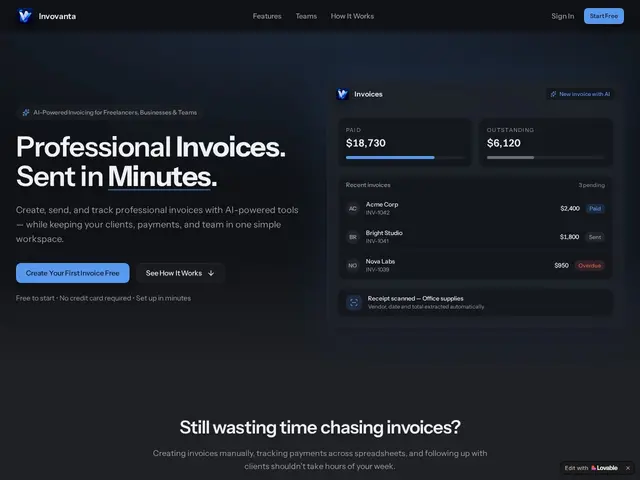
Description
If you're a freelancer or run a small team, chasing invoices and expenses eats time you'd rather spend on paying work. Invovanta acts like an assistant who drafts your invoices, watches when clients pay (or don't), and files your receipts — using AI to handle most of the typing instead of you.
Invovanta is an AI-assisted invoicing and expense-tracking platform for freelancers, small businesses and teams. It automates invoice creation (AI-assisted line items, branded PDF templates), extracts data from receipts via AI (photo or upload becomes a structured expense record), tracks payment status in real time, and centralizes client and invoice history with role-based team access. It also covers recurring/retainer billing, multi-currency support, a client portal, profit-and-loss dashboards, automated late-payment reminders, scheduled invoice dispatch, and a conversational AI assistant you can ask about your invoices and payments. Pricing is freemium: Free (2 clients, 3 invoices/month, 3 AI receipt scans), Pro at $12/month (15 clients, 30 invoices/month), Business at $29/month (unlimited invoicing, advanced analytics, 100 AI scans), and Enterprise at $79/month (3 seats, advanced collaboration, 300 AI scans).
💬 Our review
The short version: Invovanta is a good pick if you're a freelancer or small team who wants AI to strip out the busywork of invoicing and expense tracking, as long as you're fine outgrowing the free tier fast.
Against established players like FreshBooks, Wave or Zoho Invoice, Invovanta's real edge is putting AI at every step — receipt scanning, invoice drafting, and a chat assistant for your own books — rather than bolting one AI feature onto an old workflow. That's genuinely useful if manual data entry is what you hate most. The free tier is stingy (2 clients, 3 invoices/month), so treat it as a trial rather than a real free plan; anyone sending more than a handful of invoices a month lands on Pro ($12/month) or Business ($29/month) quickly. Compared with Wave, which stays free forever for basic invoicing, or QuickBooks, which goes far deeper on accounting, Invovanta trades feature breadth for a tighter AI-first workflow — solid for freelancers and small teams, less convincing if you need full double-entry accounting or a mobile app, neither of which is on offer here.
💰 Pricing
📊 Global score
🤖 AI-enriched data
Gratuit (2 clients, 3 factures/mois, 3 scans reçus) ; Pro $12/mois (15 clients, 30 factures/mois) ; Business $29/mois (illimité, analytics avancées, 100 scans) ; Enterprise $79/mois (3 sièges, collab avancée, 300 scans)
Pros
IA intégrée à chaque étape (rédaction, scan reçus, assistant conversationnel)
Freemium sans carte bancaire requise pour démarrer
Collaboration d'équipe avec permissions par rôle
Support multi-devises et portail client inclus
Cons
Palier gratuit très restrictif (2 clients, 3 factures/mois)
Fonctions comptables limitées vs suites complètes type QuickBooks
Pas d'application mobile mentionnée
Scans IA plafonnés même sur les paliers payants