Prequel
macOS app that turns raw screen recordings into polished demo videos with automatic zooms and camera framing.
🔗 Visit Prequel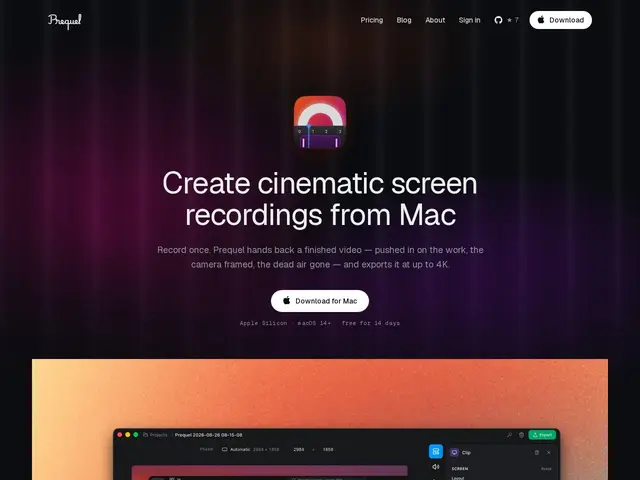
Description
Recording a demo video usually means capturing your screen, then spending hours in a separate video editor adding zooms, cleaning up mistakes, and making it look professional. Prequel skips that second step: it records your screen and automatically edits the result into something that looks like a person sat there with a mouse and a good eye for pacing.
Prequel is a native macOS screen recorder that captures screen, window, webcam, microphone, and system audio, then hands back an edited video with automatic zooms that follow clicks and typing, camera framing with depth-of-field effects, and dead air removed. Exports go up to 4K/120fps using the Mac's own media engine. It's built for developers, educators, and content creators who need to turn a raw recording into a demo, tutorial, or app preview without opening a traditional NLE.
💬 Our review
The short version: if you've ever recorded a screencast and then spent longer editing it than making it, Prequel automates the part people actually pay editors for — the zooms, the framing, the pacing — and hands you a finished export instead of a raw clip.
Compared to Loom, which is built for quick, low-effort screen shares, Prequel is aimed squarely at polish: the automatic camera moves and depth-of-field treatment put it closer to a lightweight Camtasia or ScreenFlow, minus the timeline scrubbing most people never learn to use well. At $14/month with a genuinely full-featured 14-day trial (no watermark), it's a reasonable price if you regularly publish demo or tutorial videos; if you record screencasts once a month, the free tier of Loom or a one-time ScreenFlow license will cover you for less.
💰 Pricing
📊 Global score
🤖 AI-enriched data
$14/mois, offre unique sans paliers ; essai gratuit de 14 jours sans filigrane
Pros
zooms et cadrage caméra automatiques, pas de montage manuel
export jusqu'à 4K/120fps via le moteur média du Mac
essai 14 jours complet, sans filigrane
capture écran + webcam + audio système en un seul outil
Cons
abonnement mensuel plutôt que licence unique
macOS uniquement, pas de version Windows
moins de contrôle manuel qu'un vrai éditeur vidéo type ScreenFlow