imgrove
76 free browser-based image tools — convert, compress, resize, and edit images with nothing uploaded to a server.
🔗 Visit imgrove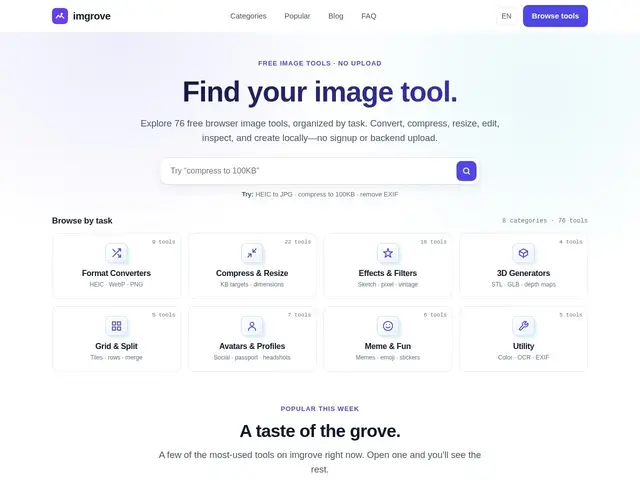
Description
Most quick image tasks — converting a HEIC photo to JPG, compressing an image before uploading it, cropping a screenshot — shouldn't require installing software or handing your file to a website you don't know. imgrove is a collection of small tools that do these jobs directly in your browser tab.
imgrove offers 76 free image tools across 8 categories: format conversion, compression/resizing, effects, 3D generation, grid/split, avatar creation, meme-making, and general utilities. It supports a wide range of formats including JPG, PNG, WebP, HEIC, AVIF, SVG, ICO, PDF, Base64, STL, and GLB, and every tool runs locally in the browser rather than uploading files to a server. There's no signup, no watermark, and no paid tier — it's entirely free.
💬 Our review
The short version: for quick, one-off image tasks — convert this, compress that, crop this screenshot — imgrove is a genuinely free, no-signup toolbox that doesn't ask you to upload anything anywhere.
Compared to Squoosh, Google's well-known browser-based compressor, imgrove covers far more ground (76 tools versus a single-purpose compressor), at the cost of being less polished for that one specific compression use case — if all you need is the best possible compression, Squoosh's fine-tuned codecs still edge it out. Compared to TinyPNG or iLoveIMG, which upload to a server and often gate advanced features behind a paid plan, imgrove's local processing and zero pricing make it the easier default for anyone who just wants the task done without an account.
💰 Pricing
📊 Global score
🤖 AI-enriched data
100% gratuit, aucun palier payant
Pros
76 outils gratuits couvrant conversion, compression, effets, avatars...
traitement 100% local dans le navigateur, rien n'est uploadé
aucune inscription requise
supporte les formats modernes (HEIC, AVIF, WebP, STL, GLB)
Cons
moins optimisé que Squoosh pour la compression pure
pas de traitement par lot à grande échelle
interface moins soignée que des outils commerciaux comme iLoveIMG