Tiles
macOS app that saves your window layout as a 'Space' and restores it instantly with a keyboard shortcut.
🔗 Visit Tiles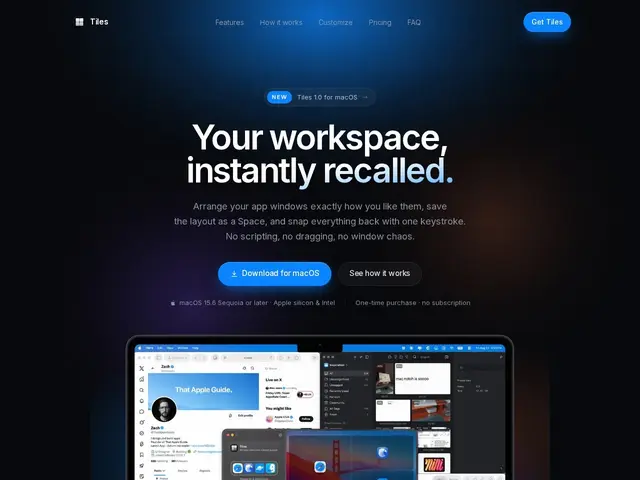
Description
Anyone who works across several apps at once knows the small daily tax of re-arranging windows every time you switch tasks — moving the editor here, the browser there, the terminal in the corner. Tiles removes that tax by remembering the arrangement for you.
Tiles is a lightweight macOS app that lets you arrange your windows the way you want, save that layout as a 'Space,' assign it a keyboard shortcut, and instantly recall it whenever you need that setup again. It supports unlimited saved layouts, works across multiple displays, and offers desktop widgets for quick access. Everything is stored locally on your Mac — no cloud sync, no account, no telemetry — and a single $4.99 one-time purchase covers up to 5 Macs.
💬 Our review
The short version: if you regularly switch between a few distinct window setups — 'coding mode,' 'meeting mode,' 'writing mode' — and re-arrange windows by hand every time, Tiles' one-time $4.99 price pays for itself the first week.
macOS's built-in Stage Manager attempts something similar but is aimed at grouping windows automatically rather than letting you define and instantly recall a specific named layout on demand, and many people find Stage Manager's automatic behavior more disruptive than helpful. Tiles is a much smaller, more predictable tool: you decide the layout, you decide the shortcut, nothing happens automatically. At under $5 with no subscription and a 5-Mac license, there's little reason not to try it if window shuffling is a real daily annoyance.
💰 Pricing
📊 Global score
🤖 AI-enriched data
$4.99 à vie, licence valable pour jusqu'à 5 Mac
Pros
prix unique de $4.99, pas d'abonnement
licence valable sur 5 Mac
raccourcis clavier par configuration sauvegardée
100% local, aucune synchronisation cloud ni télémétrie
Cons
macOS uniquement (15.6 Sequoia minimum)
fonctionnalité proche d'une feature native (Stage Manager) pour ceux qui s'en contentent
widgets desktop en plus, pas essentiels au cœur du produit