Mktero
Zotero extension that converts academic PDFs into structured, source-linked Markdown notes.
🔗 Visit Mktero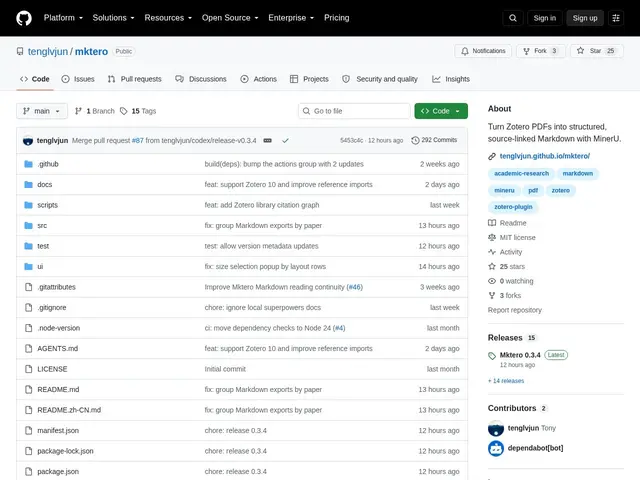
Description
If you do academic research, you've probably felt the pain of copying quotes out of a PDF and losing track of which page they came from once they land in your notes app. Mktero fixes that by turning your PDFs into clean, editable Markdown while keeping every paragraph linked back to its exact spot in the original document — so you can jump straight from a note back to the source page with one click.
Mktero is a free, open-source (MIT) extension for Zotero, the popular reference manager used by researchers. It uses OCR/PDF-parsing (via the MinerU API) to extract text, tables, figures, and citations from academic PDFs and rebuilds them as structured Markdown, preserving page and region mappings so any passage can be traced back to its source. It also lets you explore the citation graph of a paper through Semantic Scholar, OpenCitations, and OpenAlex, and includes optional AI-powered translation. Requires a MinerU API token for the PDF-to-Markdown conversion step.
💬 Our review
The short version: if you're a researcher who lives in Zotero and wants your PDF highlights and notes in clean, portable Markdown instead of being trapped in a PDF viewer, Mktero does exactly that for free, and the ability to click back from a note to its exact source page is genuinely useful for citation-heavy writing.
Compared to just exporting Zotero notes manually or using a general PDF-to-Markdown tool like Pandoc, Mktero is built specifically for the academic workflow — it understands citations, figures, and page mapping in a way generic converters don't. The trade-off is that it's a young, single-maintainer open-source project (still under 30 GitHub stars) that depends on an external API (MinerU) for the actual conversion, so you're relying on a third-party service staying available and free. For a researcher already in the Zotero ecosystem, it's worth trying since it costs nothing; if you need a polished, actively-supported tool right now, an established note-taking app like Obsidian with a PDF plugin might feel more dependable.
💰 Pricing
📊 Global score
🤖 AI-enriched data
Open source (MIT), gratuit — nécessite un token API MinerU (gratuit dans une certaine limite) pour la conversion
Pros
lien bidirectionnel note <-> page source exacte du PDF
extraction fidèle des tableaux, figures et citations
exploration du graphe de citations (Semantic Scholar, OpenCitations, OpenAlex)
gratuit et open source (MIT)
Cons
dépend d'une API tierce (MinerU) pour la conversion
projet jeune, peu d'étoiles GitHub, maintenance à surveiller
traduction IA optionnelle, sans garantie de qualité