SSH Ache
Free, open-source desktop SSH client with SFTP, tunnels, and an MCP bridge for AI agents.
🔗 Visit SSH Ache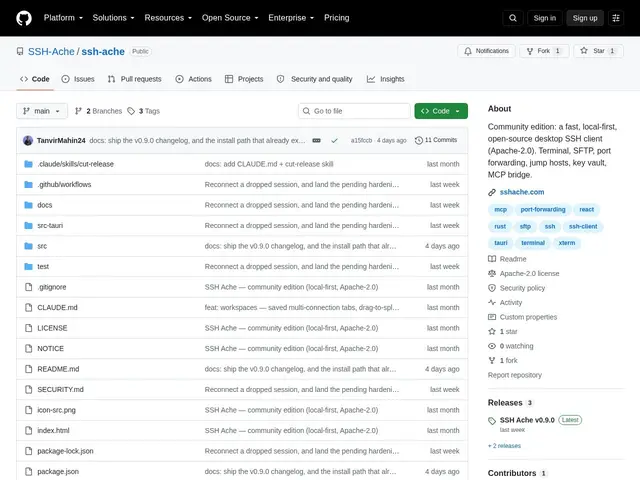
Description
Command-line SSH works fine once you know it, but juggling dozens of servers, remembering connection strings, and dragging files over SFTP from a terminal is friction most developers would rather skip. SSH Ache wraps all of that in a modern desktop app with tabs, a saved-connections vault, and drag-and-drop file transfers.
SSH Ache is an open-source desktop SSH client, Rust backend, TypeScript and React frontend, offering tabbed terminal sessions with pane splitting, a host vault for saved connections and SSH keys, dual-pane SFTP browsing with drag-and-drop, local, remote, and SOCKS5 port forwarding, ProxyJump and bastion host support, automatic reconnection, encrypted backups, and an optional MCP server bridge for AI agent integration. Free under Apache License 2.0.
💬 Our review
The short version: SSH Ache is a free, open-source alternative to paid SSH clients like Termius, with the added twist of an MCP bridge for teams already working AI agents into their infrastructure workflows.
The direct comparisons are PuTTY, free but dated and Windows-focused with no SFTP GUI, Termius, polished and cross-platform but subscription-priced for team features, and Tabby, free and open source, a closer competitor. SSH Ache's differentiators are the built-in dual-pane SFTP browser, bastion and ProxyJump support, and the MCP integration, which none of the older tools offer. Being free and open source under Apache 2.0 makes it a low-risk swap for anyone currently paying for Termius just for basic SFTP and connection management, though at one star and a very recent first release, it's clearly pre-1.0 and worth testing carefully before relying on it for critical production access.
💰 Pricing
📊 Global score
🤖 AI-enriched data
Open source (licence Apache 2.0), aucune offre payante
Pros
Terminal à onglets avec division de panneaux
Navigateur SFTP à deux panneaux avec glisser-déposer
Support bastion/ProxyJump intégré
Import des configurations SSH existantes
Gratuit et open source, contrairement à l'offre équipe payante de Termius
Cons
Version très récente (v0.9.0, 1 star), stabilité non éprouvée
Communauté plus petite que Termius ou PuTTY
Aucune mention d'application mobile, bureau uniquement