Kite
A screen recorder that turns a plain capture of your app into a polished product demo video with 3D device mockups, animated callouts, and AI-generated voiceover.
🔗 Visit Kite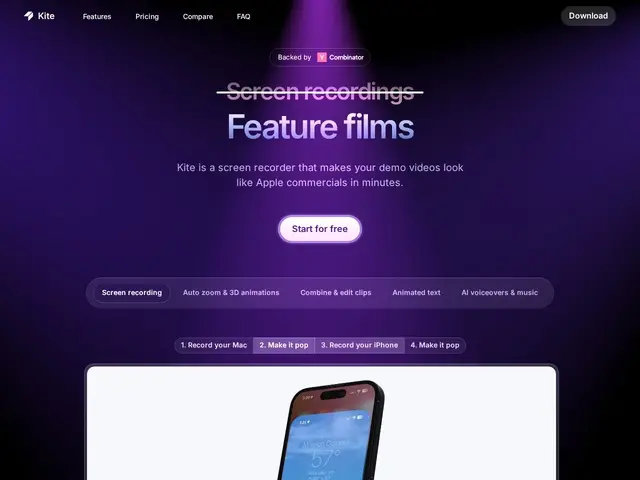
Description
Most people recording a product demo end up with a flat screen capture and no easy way to make it look like the slick launch videos on a startup's landing page — that usually means hours in a video editor, or hiring someone. Kite records your screen like any other tool, but then hands you one-click post-production: it drops your capture into a 3D device mockup, animates the cursor and callouts, and can even generate a voiceover narration with AI, so a five-minute recording becomes a shareable demo video without touching a timeline-based editor.
Under the hood, Kite covers Mac and Windows recording, cursor smoothing/customization, animated blur and callout tools, a built-in music library, multi-clip combining, brand kits for consistent styling across videos, and AI voiceover generation (capped by plan). Pricing starts free with a watermark and unlimited exports, Pro is $40/month billed yearly (removes the watermark, 10k AI voiceover characters/month), Team is $55/month per seat (3-seat minimum), and Enterprise is custom. It's Y Combinator-backed (S23) and positioned most directly against Screen Studio, the other prominent 'make your screen recording look cinematic' tool.
💬 Our review
The short version: Kite is a solid pick if you regularly ship product demo or launch videos and don't want to learn a full video editor — the 3D mockups and AI voiceover genuinely save time over manual editing.
Against Screen Studio, its closest competitor and the more established name in this specific niche, Kite differentiates mainly on the built-in AI voiceover generation and the multi-clip combining workflow — useful if you're assembling a longer demo from several takes rather than one clean recording. Against general-purpose video editors like Descript or CapCut, Kite trades flexibility for speed: you get less manual control, but a usable polished video in a fraction of the time. The free tier's watermark is a real limitation for anything public-facing, so budget for at least the $40/month Pro tier if you plan to publish regularly, and note the Team tier's 3-seat minimum ($165/month minimum) is a jump if you're a very small team. Pick Kite if demo videos are a recurring part of your workflow; skip it for one-off recordings where the free tier's watermark won't matter or a simpler tool suffices.
💰 Pricing
📊 Global score
🤖 AI-enriched data
Free (watermark, unlimited exports), Pro $40/mo billed yearly (no watermark, 10k AI voiceover chars/mo), Team $55/mo/seat (min 3 seats), Enterprise custom.
Pros
One-click 3D device mockups and cinematic animations
Built-in AI voiceover generation
Multi-clip editing and combining without a full timeline editor
Brand kit for consistent video styling
Free tier available to test the workflow
Cons
Free tier has a watermark, unusable for public-facing content
Team tier has a 3-seat minimum ($165/mo minimum)
Less manual editing control than a full video editor
AI voiceover characters capped by plan