Snippety
A native Mac and iPhone app that expands short keywords you type into full text, emails, or code snippets, with logic and scripting built in rather than just plain find-and-replace.
🔗 Visit Snippety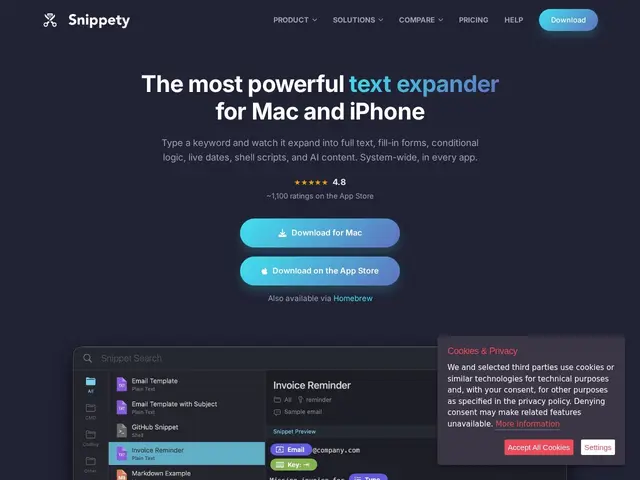
Description
Anyone who types the same sentences, email replies, or code blocks over and over eventually starts abbreviating them by hand. Text expanders automate that: you type a short trigger like ";addr" and it instantly becomes your full mailing address, a canned support reply, or a boilerplate code snippet. Snippety does that on Mac and iPhone, but goes further than a simple find-and-replace tool by letting those snippets contain logic — dates, clipboard contents, form fields you fill in on the fly, and conditional sections that change based on what you input.
Under the hood it's a native macOS/iOS app (not an Electron wrapper) with syntax highlighting for 50+ programming languages, the ability to run shell scripts as part of a snippet expansion, a command-line interface for scripting your own workflows, and native Shortcuts/Siri integration. Sync happens through the user's own iCloud account rather than a third-party server, and per-app rules mean a developer can have different snippets available in a code editor than in an email client. It's a one-developer, closed-source product (by Wojciech Kulik) rated 4.8/5 across over a thousand App Store reviews, with a single purchase — monthly or lifetime — unlocking all devices tied to the same Apple ID.
💬 Our review
The short version: Snippety is a legitimately deep, well-reviewed text expander for people fully committed to the Apple ecosystem, and its $39.99 lifetime option is aggressively cheap next to subscription-only competitors, but it's Mac/iOS-only and closed source, so it's not a fit if you work across Windows/Linux or want to audit the code that handles your snippets.
The standout feature is that Snippety treats snippets like small programs — shell script execution, conditional logic, a CLI — which puts it closer to power-user tools like Alfred workflows or Raycast extensions than a basic expander. Compared to TextExpander, which is subscription-only and typically costs more per year than Snippety's one-time lifetime price, Snippety's pricing is a clear win if you don't need TextExpander's team-sharing features. Compared to Espanso, which is free, open source, and cross-platform, Snippety trades that openness and platform reach for tighter native macOS/iOS integration (Shortcuts, Siri, iCloud sync) that a cross-platform tool can't match on Apple hardware specifically. If you live entirely in the Apple ecosystem and want scripting power, it's a strong pick; if you need Windows/Linux support or open-source auditability, look elsewhere.
💰 Pricing
📊 Global score
🤖 AI-enriched data
Free tier with limited snippets. Pro Monthly $2.99. Pro Lifetime $39.99 (one-time, all devices on the same Apple ID).
Pros
Native Mac and iOS app with iCloud sync across devices
Snippets support conditional logic, placeholders, and shell script execution
One-time lifetime price ($39.99) undercuts subscription-only competitors
CLI and Shortcuts/Siri integration for power users
High App Store rating (4.8/5, 1,100+ reviews)
Cons
Mac and iOS only — no Windows or Linux support
Closed source, unlike free alternatives such as Espanso
One-developer product, so support/roadmap depends on a single maintainer
Free tier is limited enough that serious use requires paying