Aegis Authenticator
Free, open-source Android app for storing your two-factor authentication codes in an encrypted vault, with no cloud account, no ads, and full control over your own backups.
🔗 Visit Aegis Authenticator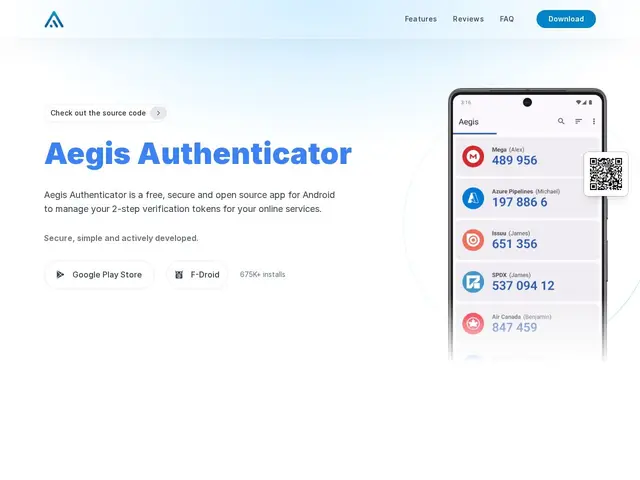
Description
Every time you scan a QR code to set up two-factor authentication for a new account, that secret has to live somewhere on your phone — and most people just trust whatever app they already have installed. Aegis Authenticator's pitch is simple: it's a dedicated, open-source app built specifically to hold those codes safely, locked behind your fingerprint or PIN, without quietly syncing your secrets to some company's cloud server the way several mainstream authenticator apps do by default.
Under the hood, all your tokens sit in an encrypted vault unlocked by biometrics or a PIN, and because there's no built-in cloud sync, backups are entirely in your hands — you export an encrypted backup file yourself and store it wherever you trust (a password manager, encrypted drive, etc.), rather than relying on a vendor's servers. It supports importing directly from Google Authenticator, Authy, FreeOTP+, and most other common 2FA apps, so switching over doesn't mean manually re-scanning every QR code you have. It's free, fully open source, community-maintained, and has been around long enough to be a well-trusted option in the security community rather than an unproven newcomer.
💬 Our review
The short version: Aegis Authenticator is one of the safest, most trustworthy default choices for 2FA on Android precisely because it's free, open source, and doesn't sync your secrets to a cloud you don't control — the only real cost is that you're responsible for your own backups and it doesn't exist on iOS at all.
💰 Pricing
📊 Global score
🤖 AI-enriched data
Free and open-source with no advertising or paid tiers, developed by the community.
Pros
Free, open source, no ads, community-maintained
Encrypted vault with biometric/PIN unlock
Import from Google Authenticator, Authy, FreeOTP+, and more
No forced cloud sync — your secrets stay on your device
Long-standing, trusted project in the security community
Cons
Android only — no official iOS version
No automatic cloud backup by design, so users must manage backups manually
Losing your phone without a recent backup means losing all your 2FA codes
Cannot sync automatically across multiple devices
Less beginner hand-holding than mainstream apps like Google Authenticator or Authy