Screenify Studio
Mac-native screen recorder that turns raw recordings into cinematic product demos with AI auto-zoom, captions, and 3D device mockups. One-time payment, no subscription.
🔗 Visit Screenify Studio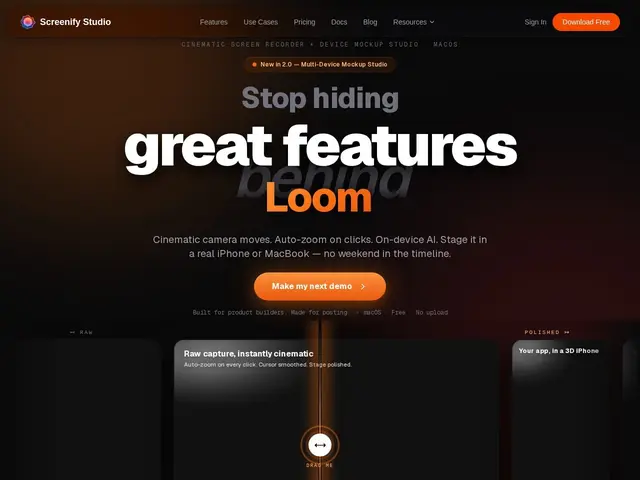
Description
Imagine you just built an app and want to show it off with a slick, movie-trailer-style video for Twitter, Product Hunt, or the App Store, but you have no video editing skills and no budget for one. Screenify Studio is built exactly for that moment: you record your screen like normal, and the app automatically zooms in on your clicks, adds synced captions, drops your app into a realistic 3D iPhone or MacBook frame, and even generates a voiceover if you want one. What used to take hours in a video editor becomes a few clicks.
Under the hood, Screenify Studio is a native Apple Silicon app using Metal for GPU-accelerated rendering and the on-device Neural Engine for AI background removal, so processing happens locally rather than in the cloud. Captions are generated with a Whisper-based model with word-level sync, auto-zoom uses smart click detection, and there are 30+ 3D cinematic camera templates plus multi-window recording support. A CLI is also available, aimed at developers who want to script recordings or hook the tool into AI-agent automation workflows.
💬 Our review
The short version: if you're a Mac-only indie hacker who needs polished demo videos without hiring an editor, Screenify Studio delivers real production value for a one-time fee — just don't expect it to replace a full sharing/collaboration platform like Loom.
Against the competition, the picture is mixed but leans favorable on price. Screen Studio (macOS/Windows) charges roughly $89-229 depending on plan, Loom is free for basic clips but pushes teams toward a monthly subscription for anything beyond casual use, and Tella sits in a similar subscription bracket. Screenify Studio's $149 one-time (or $249 for lifetime updates) undercuts recurring-cost tools over any multi-year horizon, and the 3D mockup templates plus AI voiceover are genuinely differentiating features you don't get for free elsewhere. The catch is real, though: it's Apple Silicon-only, so Windows and Intel Mac users are locked out entirely, there's no built-in team collaboration or comment-on-video layer the way Loom offers, and as a solo-founder product the roadmap and support depend on one person continuing to ship. The free tier (5 min, 1080p, watermarked) is generous enough to sanity-check the tool before paying, which is the right way to evaluate it.
💰 Pricing
📊 Global score
🤖 AI-enriched data
Free (1080p, 5min limit, watermarked); Pro $149 one-time (4K, no watermark); Pro+ $249 one-time (lifetime updates)
Pros
One-time payment undercuts subscription competitors over time
On-device AI processing (Neural Engine) keeps recordings private
30+ 3D cinematic templates and device mockups without editing skills
Native Metal GPU acceleration for smooth Apple Silicon performance
CLI enables scripting and AI-agent automation workflows
Cons
Mac-only, Apple Silicon required — no Windows or Linux support
No built-in team collaboration or async commenting like Loom
Free tier is watermarked and capped at 5 minutes
Solo-founder product with smaller support/roadmap capacity than established rivals