Escale
A native Mac app that puts App Store Connect and Google Play into one window, so you manage both your iOS and Android app releases without juggling two separate browser dashboards.
🔗 Visit Escale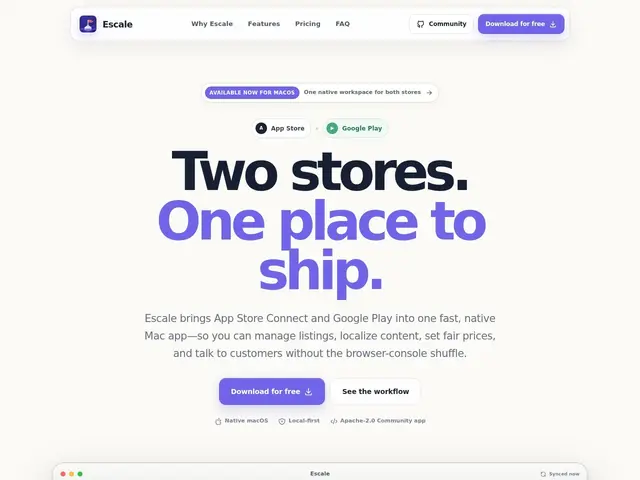
Description
If you ship an app on both iPhone and Android, you already know the annoyance: two separate web consoles, two different login flows, two different ways of doing the same thing (uploading a build, writing release notes, checking review status). Escale's idea is simple — put both stores into one native Mac app so you stop tab-switching every time you need to push an update.
Escale is a native macOS application (Apple silicon, macOS 14+) that connects directly to the App Store Connect and Google Play Console APIs, storing your credentials securely in the macOS Keychain rather than in a browser session. The free, open-source Community Edition (Apache-2.0) covers the core manual workflows — viewing app status, managing releases, editing metadata — while the $99/year Pro tier adds AI-assisted automation, multi-locale translation for store listings, reusable templates, and verified support, licensed for one user across up to two Macs. Being macOS-only is the main limitation: Windows and Linux developers on a team will need another tool or the stores' native consoles regardless.
💬 Our review
The short version: Escale is a well-scoped productivity win for solo developers and small teams releasing on both app stores from a Mac, but the macOS-only requirement and Pro paywall on automation limit how far it goes.
Against Fastlane, the long-standing open-source standard for store automation, Escale trades scripting power for a GUI-first, non-technical-friendly workflow — useful if you don't want to maintain Fastlane configs, less useful if you already have a mature CI/CD pipeline built around it. Compared to using App Store Connect and Google Play Console directly, the value is purely convenience: one window instead of two, with secure local credential storage. The free Community Edition is genuinely usable on its own for manual workflows, which makes the $99/year Pro tier an easy add-on rather than a hard requirement — it's worth it specifically if multi-locale translation or automation would save you real time. Not a fit for Windows/Linux shops or teams needing multi-seat licensing beyond two Macs.
💰 Pricing
📊 Global score
🤖 AI-enriched data
Édition Community gratuite et open source (Apache-2.0) : gestion de base. Pro à 99$/an (1 utilisateur, jusqu'à 2 Mac) : automatisation IA, traduction multi-locale, modèles, support vérifié.
Pros
Un seul espace de travail pour App Store Connect et Google Play
Édition Community gratuite et open source, sans fonctionnalité verrouillée
Identifiants stockés de façon sécurisée dans le Keychain macOS
Cons
Exclusivement macOS (Apple silicon, macOS 14+)
Automatisation et traduction multi-locale réservées au palier payant
Écosystème plus restreint que Fastlane pour les workflows scriptés/CI