Papers AI
A research workspace from the team behind Overleaf that lets you write (in Word-style, LaTeX, or Markdown), run code notebooks, and get AI help, all in one place instead of juggling separate apps for writing and analysis.
🔗 Visit Papers AI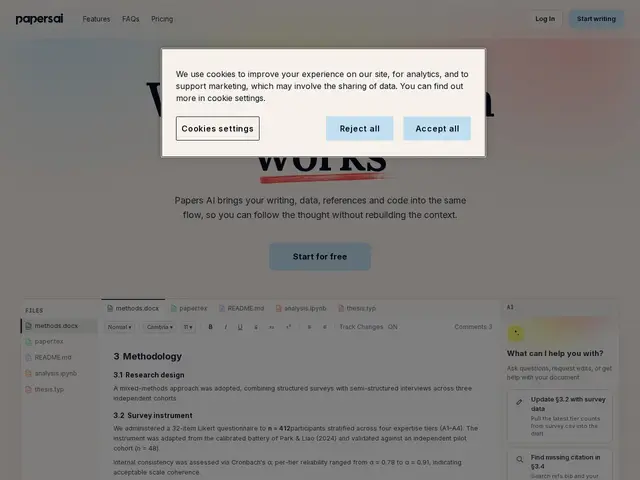
Description
Academic and technical writing usually means bouncing between a word processor, a separate coding notebook, and a reference manager — Papers AI's pitch is to put writing, code execution, and AI assistance in one workspace so you're not constantly exporting and re-importing between tools.
Built by Overleaf, it supports multiple writing formats (Word-style, LaTeX, Markdown, Typst) alongside Jupyter-style notebooks, with context-aware AI assistance and real-time collaboration that tracks changes and attributes edits across all formats. Files are stored locally on your device by default, with optional cloud sync, which is a genuine privacy plus compared to cloud-only competitors. Pricing is freemium: a free tier with a workable AI allowance, and a Plus plan at £10/month for five times the AI usage and longer AI conversations. The tradeoffs are a learning curve if you're coordinating multiple document formats and notebooks in one project, and a degree of lock-in to the Overleaf ecosystem if you're not already using it.
💬 Our review
The short version: if you're a researcher or technical writer who already juggles LaTeX or Jupyter notebooks alongside plain writing, Papers AI's all-in-one workspace and local-first privacy stance make it worth trying, and backing from Overleaf gives it more credibility than a typical AI-writing startup.
Compared to keeping Overleaf, Notion, and a Jupyter notebook as three separate tools, Papers AI's value is consolidation — no more exporting a LaTeX doc to paste into Notion, or copying analysis results into your paper by hand. The free tier's AI allowance is reasonable for casual use, and £10/month for 5x more usage is cheap next to most AI subscription tools. The downside is real: this is genuinely multi-format software, so there's a learning curve, and it leans on the Overleaf ecosystem, which matters if you don't already use LaTeX-style workflows. Worth trying free if you write research-heavy documents with code involved; stick with plain Notion or Google Docs if your writing doesn't need code or LaTeX at all.
💰 Pricing
📊 Global score
🤖 AI-enriched data
Gratuit avec quota IA généreux. Plus : 10 £/mois pour 5x plus d'usage IA et des conversations plus longues.
Pros
Combine écriture (Word/LaTeX/Markdown/Typst), notebooks et IA dans un seul espace
Stockage local par défaut, synchronisation cloud optionnelle (bon point pour la confidentialité)
Collaboration en temps réel avec suivi des modifications sur tous les formats
Cons
Courbe d'apprentissage pour coordonner plusieurs formats et notebooks dans un même projet
Dépendance à l'écosystème Overleaf pour en tirer pleinement parti
Quota IA du palier gratuit limitant pour un usage intensif