Surfdeck
A native Mac menu bar app that keeps your favorite websites one click away, without opening a new browser window or tab.
🔗 Visit Surfdeck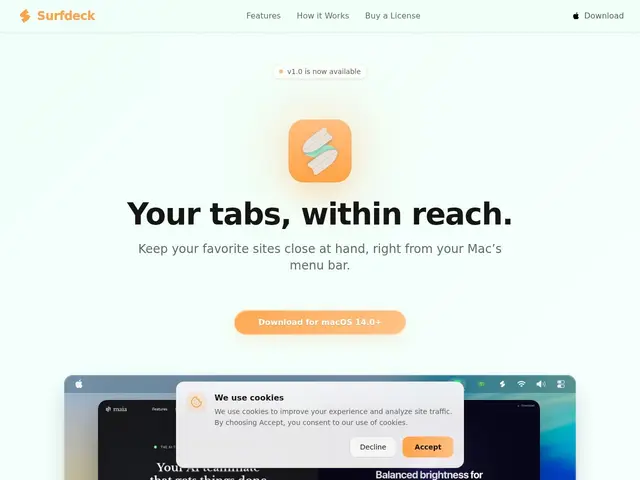
Description
If you keep a handful of websites open all day — a dashboard, a chat app, a docs site — they usually end up buried among a dozen other browser tabs, or living in their own cluttered desktop window. Surfdeck takes a simpler approach: it puts those sites directly in your Mac's menu bar, so opening one is a single click away instead of alt-tabbing through windows or hunting through tabs.
Surfdeck is a focused, native macOS app: you can give each site a custom icon so it's easy to spot at a glance, split a site into resizable side-by-side panes, and show, reveal, or hide the address bar as needed. It keeps web apps accessible without adding more windows to your desktop, and is pitched explicitly as a small, attention-respecting utility rather than a full browser replacement. Product details on pricing and a broader feature set beyond what's on the marketing site are thin at the time of writing — it's a young, minimal launch.
💬 Our review
The short version: if you're a Mac user who keeps 2-3 sites open constantly and wants a faster way to reach them than digging through browser tabs, Surfdeck is a small, cheap-to-try utility worth a look — just don't expect a full-featured browser replacement.
Compared to built-in options like Safari's Pinned Tabs or macOS's own "Add to Dock" web-app feature, Surfdeck's differentiator is living permanently in the menu bar rather than the Dock or a browser window, which suits people who want zero visual footprint until they need it. It's a more focused, single-purpose alternative to Fluid or Unite (which turn any site into a standalone desktop app) — Surfdeck deliberately stays in the menu bar rather than becoming its own window. Because pricing and feature depth aren't clearly published yet, it's hard to judge value precisely; as a lightweight utility category, similar tools typically sell for $5-15 one-time, so if Surfdeck lands anywhere near that, it's an easy low-risk try for the specific habit it targets.
💰 Pricing
📊 Global score
🤖 AI-enriched data
Tarification non publiée sur le site au moment de la fiche ; catégorie d'utilitaires Mac similaires généralement entre 5$ et 15$ en achat unique.
Pros
App native macOS, légère et focalisée
Accès en un clic depuis la barre de menu, sans fenêtre supplémentaire
Icônes personnalisées par site pour un repérage rapide
Vues côte à côte redimensionnables
Cons
Tarification non communiquée publiquement
Site marketing très minimal, peu de détails fonctionnels
macOS uniquement, aucune version Windows/Linux
Produit jeune, peu de recul utilisateur disponible