AI Renamer
A desktop app that renames batches of files automatically by reading their actual content (images, documents), locally or via the cloud.
🔗 Visit AI Renamer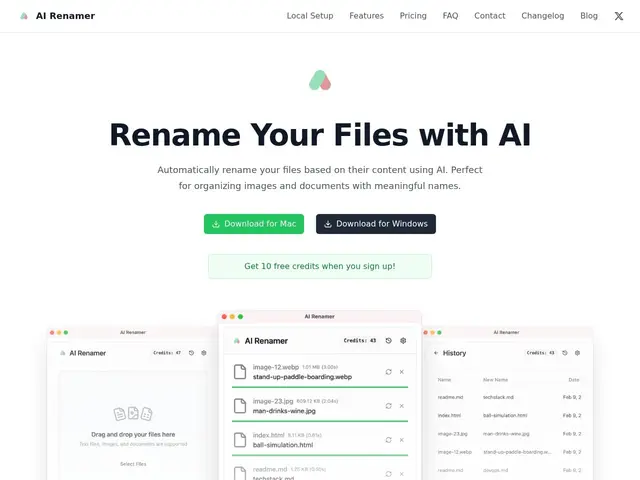
Description
A folder full of files named IMG_2847.jpg or Scan_final_v2.pdf is only searchable if you remember what's in each one. AI Renamer looks at what a file actually contains — the image itself, a scanned document's text, EXIF data — and renames it to something descriptive, in batches, so you don't have to open and rename hundreds of files by hand.
It runs as a desktop app for macOS and Windows with two modes: a Local Mode that uses on-device models like Ollama or LM Studio (or your own OpenAI key) for a one-time $19 unlimited purchase, and a Cloud Mode priced at $10 per 200 credits (one credit per rename, 10MB file limit) for people who don't want to run a local model. Batch processing, drag-and-drop, custom naming instructions and a preview before applying are all included. Now at version 1.8.0, from the same developer behind Grape, Layer Blur and ExactMRR.
💬 Our review
The short version: if you have a pile of screenshots, scans or downloads with meaningless filenames, AI Renamer batch-renames them based on what's actually in them for a one-time $19 (local mode) — cheaper long-term than any subscription file organizer.
Against similar tools like Renamer.ai or Wisfile, the differentiator is the choice between a fully offline Local Mode (your files never leave your machine) and a paid-per-use Cloud Mode, which lets privacy-conscious users avoid cloud uploads entirely while still giving casual users a pay-as-you-go option. The $19 one-time Local Mode price is hard to beat for unlimited renaming once you already have Ollama or LM Studio set up; without a local model already running, the Cloud Mode's $10-per-200-files pricing adds up faster for heavy batch users. It's a narrow, single-purpose tool — genuinely useful if disorganized files are a recurring problem, unnecessary if you rename a handful of files a month by hand anyway.
💰 Pricing
📊 Global score
🤖 AI-enriched data
Mode local : 19 $ achat unique, usage illimité. Mode cloud : 10 $ pour 200 crédits (1 crédit = 1 renommage, fichiers jusqu'à 10 Mo), 10 crédits gratuits à l'inscription.
Pros
Achat unique en mode local, usage illimité
Traitement 100% local possible (aucune donnée envoyée dans le cloud)
Compatible modèles locaux (Ollama, LM Studio) et OpenAI
Traitement par lots avec glisser-déposer
Aperçu avant application
Cons
Mode cloud limité à 10 Mo par fichier
Mode cloud nécessite l'achat de crédits pour un usage soutenu
Application de bureau uniquement (macOS, Windows)