Homepage
A free, self-hosted start page that puts every app running on your home server or homelab — Plex, your router, your download manager — onto one clean screen with live status at a glance.
🔗 Visit Homepage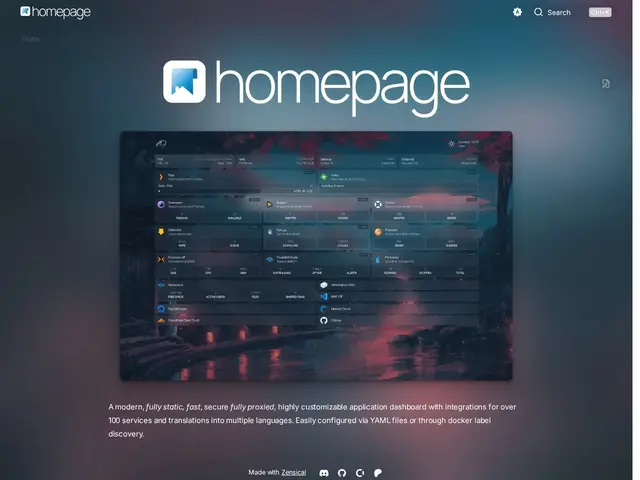
Description
Anyone running more than a couple of self-hosted services quickly ends up with a mess of bookmarks and half-remembered ports and IP addresses just to check whether the media server is running or a download finished. Homepage solves that by giving all of it one front door: a single customizable page listing every service, showing its live status, and linking straight through — closer to a car's dashboard than a bookmarks folder, since it tells you the state of things at a glance instead of making you click into each one.
Homepage (by the gethomepage project) is an open-source, statically-generated application dashboard built with Next.js, configured through simple YAML files. It ships over 100 pre-built service integrations (Plex, Jellyfin, Sonarr, Docker, Kubernetes, Proxmox, and more), proxies API requests so your service credentials stay hidden from the browser, auto-discovers Docker containers via labels, and adds utility widgets like weather, system resources, and search. With 32,000+ GitHub stars, 200+ contributors, and support for 40+ languages, it has become one of the most widely adopted dashboards in the self-hosting community, distributed under the GPL-3.0 license.
💬 Our review
The short version: Homepage is close to the default choice for a self-hosted dashboard right now — it's free, extremely actively maintained, and its 100+ integrations mean almost anything in a typical homelab stack is supported out of the box.
The proxy architecture is a genuinely good design decision that's easy to overlook: because API requests to your backend services are proxied server-side rather than made directly from the browser, your API keys and credentials for services like Sonarr or Proxmox never end up exposed in client-side code, which matters if the dashboard is ever reachable outside your own network. The YAML-based configuration is also refreshingly simple compared to the more code-heavy setup some competing dashboards require.
The honest caveats: YAML configuration means real text-editing rather than a point-and-click admin panel, which is a small but real barrier for less technical self-hosters. It's also a pure dashboard, not a reverse proxy or an authentication layer — you still need something like Traefik or Nginx Proxy Manager alongside it if you want the underlying services properly secured, not just linked to.
💰 Pricing
📊 Global score
🤖 AI-enriched data
Entièrement gratuit et open source (licence GPL-3.0). Sponsoring optionnel via Open Collective / Patreon.
Pros
Gratuit, open source, très activement maintenu (32k+ étoiles GitHub, 200+ contributeurs)
100+ intégrations de services prêtes à l'emploi (Plex, Sonarr, Docker, Kubernetes, Proxmox...)
Requêtes API proxyfiées côté serveur — les clés API ne sont jamais exposées au navigateur
Configuration YAML simple, découverte automatique des conteneurs Docker via labels
Cons
Configuration en YAML — pas d'interface d'administration cliquable
Un simple tableau de bord, pas un reverse proxy ni une couche d'authentification