FitForPDF
A conversion API and tool that turns wide Excel/CSV exports into readable, paginated PDFs with automatic layout.
🔗 Visit FitForPDF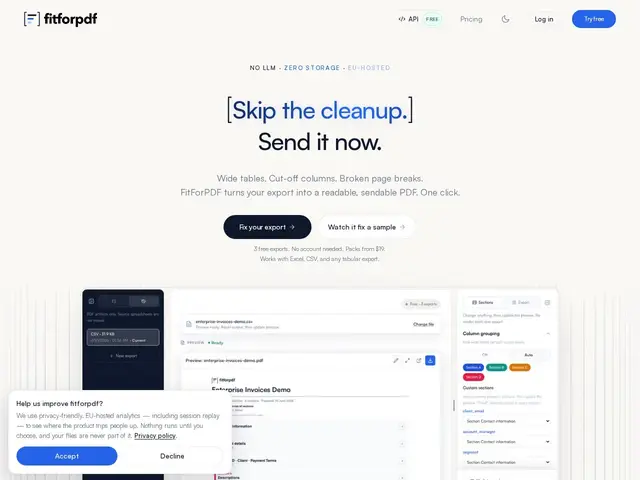
Description
Anyone who has exported a wide spreadsheet to PDF knows the result: columns get cut off, text overlaps, and you end up manually resizing things in a PDF editor just to make a report readable. FitForPDF is a small, focused tool that takes exactly that kind of wide Excel or CSV export and turns it into a properly paginated, readable PDF automatically, without you touching layout settings.
FitForPDF is a single-purpose conversion API and web tool that reformats wide tabular exports (Excel, CSV) into paginated PDFs, automatically repeating "anchor" columns (like a row ID or name) across page breaks so data stays readable without manual layout work. It's EU-hosted, deletes files immediately after conversion (no storage), and offers a REST API with an OpenAPI 3.1 spec plus example integrations for Claude, OpenAI, and LangChain agents — clearly built with AI-agent and automation pipelines as a use case, not just manual uploads. It has no AI content enhancement of its own; it's purely structural reformatting, which keeps it fast, predictable, and easy to reason about compared to general-purpose PDF suites like Adobe Acrobat or Smallpdf.
💬 Our review
The short version: FitForPDF does one specific thing — turning wide Excel/CSV exports into readable, paginated PDFs — instead of trying to be a full PDF editor like Adobe Acrobat or Smallpdf, and it does that one thing with zero manual layout fiddling.
The anchor-column handling (keeping an ID or name column visible across every page) is a small detail that solves a real, specific annoyance with wide-table exports, and the privacy stance — EU-hosted, no file storage — is a genuine plus for finance and audit teams handling sensitive exports. The API-first design with ready-made examples for AI agent frameworks also makes it easy to bolt into an automated reporting pipeline rather than a manual upload workflow.
Where it's limited: it only solves this one problem — don't expect PDF editing, merging, or e-signatures — and the free tier (3 watermarked exports) is really just a taste test. If wide data-export-to-PDF is a recurring pain point, especially in an automated pipeline, it's cheap and purpose-built. If you need general PDF editing, Adobe Acrobat or Smallpdf cover far more ground.
💰 Pricing
📊 Global score
🤖 AI-enriched data
Gratuit : 3 exports avec filigrane. À l'unité : $4.90. Pack Starter : $19 pour 10 exports ($1.90/export). Pro : $9.90/mois pour 500 exports. Plans API à partir de $15/mois.
Pros
Mise en page automatique sans configuration manuelle
Colonnes ancrées répétées sur chaque page (lisibilité préservée)
Confidentialité : hébergement UE, aucun stockage de fichier
API REST avec spec OpenAPI 3.1 et exemples pour agents IA
Cons
Palier gratuit limité à 3 exports avec filigrane
Outil mono-usage, pas d'édition PDF générale
Aucune amélioration de contenu par IA, reformatage structurel uniquement