FramePin
A tool that turns screen recordings into interactive, annotated step-by-step guides you can publish as a webpage, video, or PDF.
🔗 Visit FramePin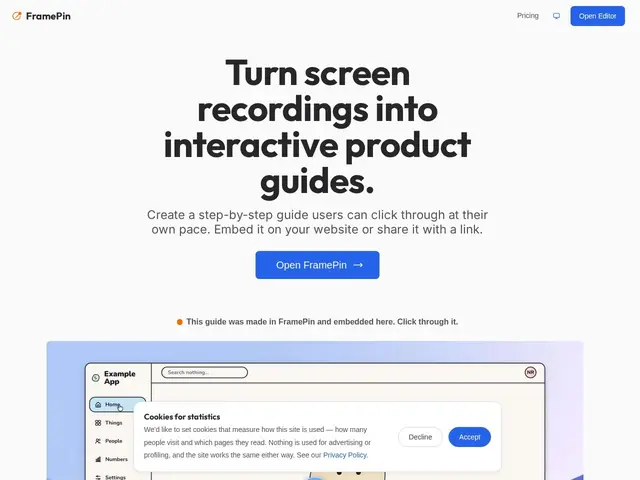
Description
Recording your screen to show someone how to do something is easy; turning that recording into something people can actually follow — pause, click around, read a caption — is the hard part. FramePin takes a screen recording and turns it into a step-by-step interactive guide, with arrows, callouts, and annotations, that you can publish as a webpage, video, or PDF.
It works frame by frame off a Chrome-based recorder: you annotate specific frames with callouts, arrows, spotlights, or zooms, then export as an embeddable interactive guide (two lines of HTML), an MP4, a PDF, or plain screenshots. Optional AI voice narration is billed separately through a prepaid credit system, and there's a built-in motion-tracking blur for masking sensitive info. The free tier covers local editing and PDF/screenshot export; publishing live, embeddable guides requires a paid plan starting at $5/month.
💬 Our review
The short version: if you're documenting SOPs, onboarding flows, or support answers and screenshots-with-arrows in a doc aren't cutting it anymore, FramePin turns the same recording into something interactive without much extra effort — worth trying on the free tier before committing to a paid plan.
Compared to Scribe or Tango, which auto-generate step-by-step guides from a recorded workflow with less manual editing, FramePin leans more manual and design-oriented — you place your own annotations rather than relying on fully automatic step detection, which gives more polish but more hands-on time per guide. It's Chrome/desktop-only, so teams needing mobile capture or cross-browser recording will hit a wall. The $5/month entry price is low, but publishing more than a handful of guides pushes you into the $29+/month Creator tier fast.
💰 Pricing
📊 Global score
🤖 AI-enriched data
Gratuit : édition et export PDF/captures en local, pas de publication live. Basic : 5$/mois (5 guides live, 30 publications/mois). Creator : 29$/mois (30 guides, 150 publications). Pro : 59$/mois (100 guides, 500 publications). Vues illimitées et export MP4 4K inclus sur tous les plans payants. Crédits de narration IA vendus séparément.
Pros
Transforme un enregistrement passif en guide interactif cliquable
4 formats d'export depuis un seul enregistrement (interactif, MP4, PDF, captures)
Palier gratuit permet de créer et exporter en PDF sans payer
Narration vocale IA en option
Analytics respectueux de la vie privée, sans cookies
Cons
Disponible uniquement sur Chrome desktop
Publication de guides live nécessite un abonnement payant
Crédits de narration vocale facturés en plus au-delà du forfait
Palier gratuit limité à l'export local, pas de publication live