AfterLid
A Mac menu-bar app that keeps chosen tasks — downloads, renders, AI agents — running after you close the lid, within safety limits.
🔗 Visit AfterLid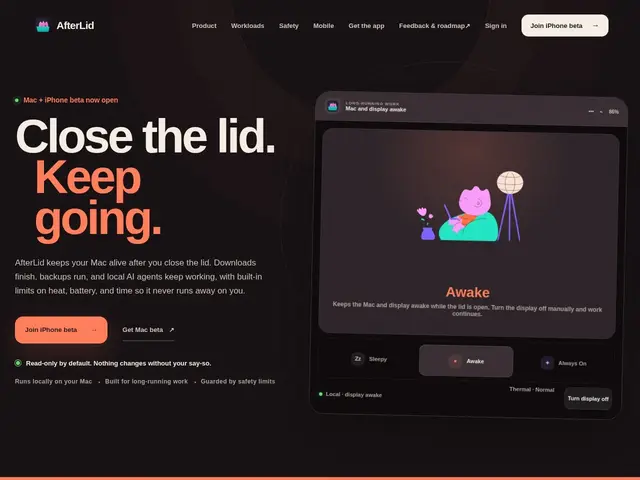
Description
Closing your laptop lid usually pauses everything — downloads stall, renders stop, backups fail halfway. AfterLid is a small Mac menu-bar app that keeps specific tasks running after you close the lid, within safety limits like battery and temperature floors, so a download or an AI agent can keep working while your laptop looks asleep.
It runs three modes — Sleepy (normal sleep), Awake (active while the lid is open), and Always On (keeps running with the lid closed) — with an 8-hour session cap, a 30% battery floor, thermal monitoring, and heartbeat detection to stay safe. An iPhone companion app shows session status remotely, and provider credentials are stored locally via the Mac Keychain rather than sent to a server. The free tier includes all three modes and one provider connection; the Pro tier (beta, 7-day trial) adds remote control and multiple simultaneous provider connections.
💬 Our review
The short version: if you regularly close your laptop mid-download, mid-render, or mid-agent-run and lose the work, AfterLid's free tier alone solves the core problem — and it does it with real safety guardrails instead of just disabling sleep entirely.
Compared to caffeinate (macOS's built-in command-line tool) or Amphetamine (a free menu-bar app that just prevents sleep), AfterLid's differentiator is the safety layer — battery floor, thermal monitoring, and an 8-hour hard cap — plus explicit support for AI agent workflows and a companion iPhone app for remote status. That's meaningful if you're running unattended AI agents or long renders; if you just want your Mac to stay awake for a video call, Amphetamine's simpler and equally free. It's Mac-only and still in beta, so expect rough edges.
💰 Pricing
📊 Global score
🤖 AI-enriched data
Gratuit : les 3 modes (Sleepy, Awake, Always On), fonctions de sécurité, une connexion provider. Pro (bêta) : contrôle à distance, connexions multiples, essai 7 jours.
Pros
Maintient les sessions actives lid fermé avec garde-fous de sécurité réels
Palier gratuit inclut les 3 modes et les fonctions de sécurité
App compagnon iPhone pour suivre le statut à distance
Identifiants stockés localement via le Keychain macOS, pas de serveur tiers
Pensé pour les agents IA et tâches longues sans surveillance
Cons
Mac uniquement, aucun support Windows/Linux
Produit en bêta, encore en développement actif
Limite de session fixée à 8 heures
Contrôle à distance et connexions multiples réservés au plan Pro